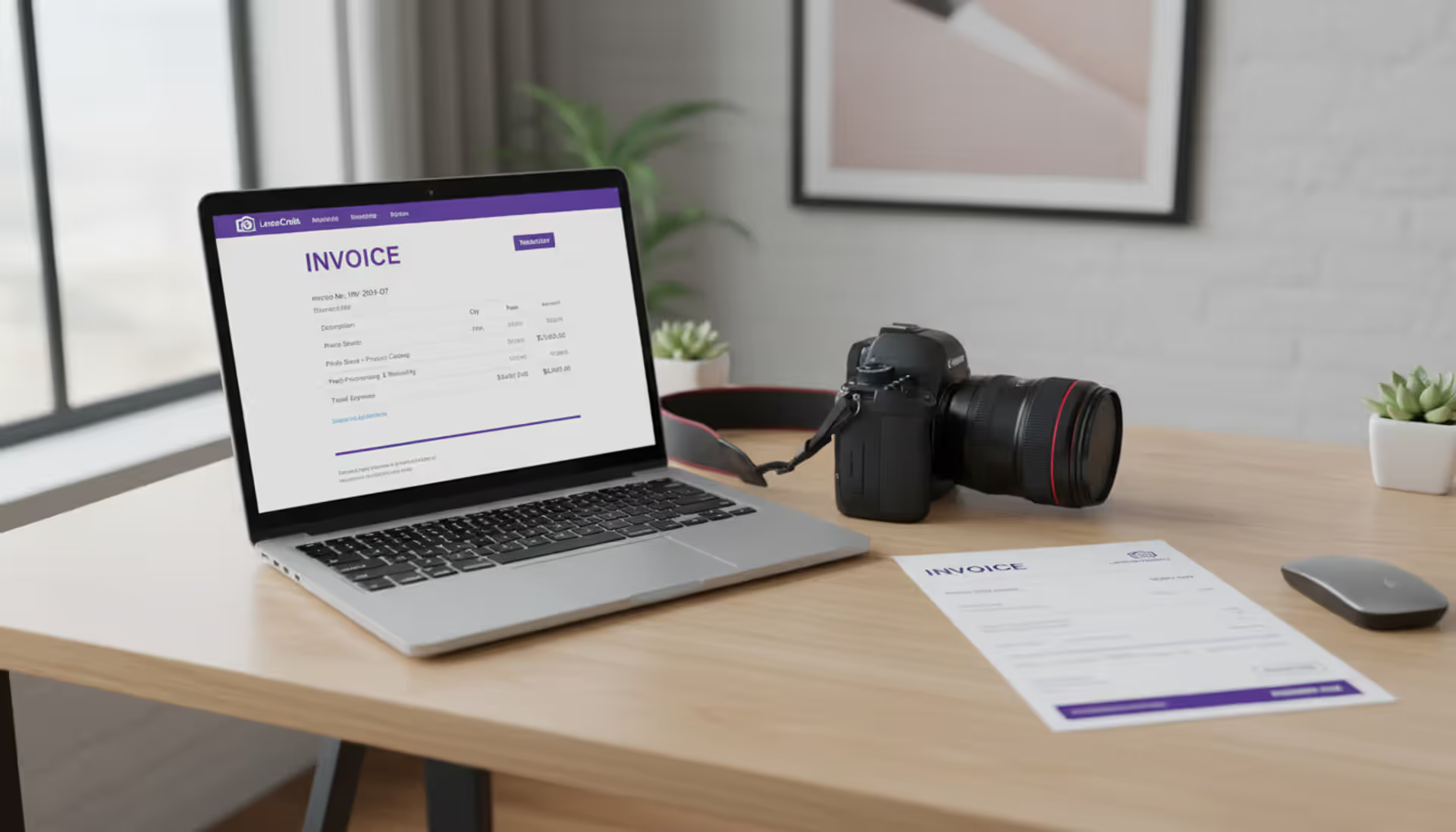
Professional photographer workspace with laptop showing invoicing software interface, DSLR camera, and printed invoice on a clean modern desk with natural side lighting
Think of photography invoicing software as your billing department in a box. Instead of wrestling with Word templates or scratching out numbers on pre-printed forms, you're using a system built specifically for how photographers actually get paid.
Here's what these tools do: they store your client information, remember your pricing packages, generate professional-looking invoices in under a minute, and—this is the important part—let clients pay you immediately with a credit card or bank transfer. No more "the check's in the mail" excuses.
Wedding photographers, portrait studios, commercial shooters, and weekend warriors all use these platforms. The billing structure for photography work gets messy fast. You've got retainer deposits to lock in dates, balance payments due before delivery, print orders that trickle in months later, and licensing fees for commercial clients. Regular invoicing tools treat everything like you're selling widgets. Photography-specific software gets it.
When you send an invoice through these systems, it carries your logo and brand colors. Payment status updates automatically when money hits your account. Late payment reminders go out without you lifting a finger. Come tax season, everything's already categorized and totaled.
The real win? Clients can click "Pay Now" right from the invoice email. They punch in their card details, you get a notification, and the transaction appears in your records instantly. This beats waiting three weeks for a check to arrive, then another week for it to clear.
Key Features to Look For
Not all photography invoicing software works the same way. Here's what separates the useful tools from the ones that'll waste your time.
Author: Samantha Corbett;
Source: maryelizabethphoto.com
You need automated invoice generation that actually saves time. The platform should remember Mrs. Johnson booked your family portrait package last year, pull up her contact info, apply the current pricing for that package, and spit out a ready-to-send invoice. If you're retyping client names and addresses every time, the automation isn't working.
Look for customizable templates that don't scream "generic invoice #47832." Your invoices represent your brand. Can you adjust fonts, colors, logo placement, and footer text? Some photographers include a personal thank-you note in the footer. Others add their social media handles. Basic customization should be standard, not a premium feature.
Payment processing integration matters more than most photographers realize until they're actually using it. The best systems let clients pay via credit card, debit card, ACH bank transfer, and digital wallets—all from the invoice itself. Watch the transaction fees closely. Processing a $3,000 wedding payment at 3.5% costs you $105. At 2.5%, it's $75. Over fifty transactions annually, that difference adds up to real money.
Expense tracking turns your invoicing platform into a partial bookkeeping system. Bought a new lens for $1,200? Paid an assistant $300 for a wedding? Spent $85 on gas driving to three sessions? Record these expenses in the same system that tracks your income. April will be much less painful.
For client management, you want a searchable database that stores contact details, project history, and payment records. When a bride from 2022 calls wanting anniversary photos, you should find her previous package and pricing in ten seconds, not dig through two years of email.
Tax compliance tools save massive headaches if you're in a state that taxes photography services. Sales tax rates vary by county. Some services are taxable, others aren't. Letting software calculate this automatically beats maintaining a spreadsheet of tax rates and hoping you didn't mess up the math.
Here's one that catches people off guard: mobile access. You'll want to invoice someone from a wedding venue at 10 PM because you forgot earlier. You'll check whether a client paid while driving between sessions. You'll record a $47 props purchase standing in a craft store. Cloud-based platforms with decent mobile apps handle this. Desktop-only software doesn't.
If you've got corporate clients on retainer or school photography contracts, recurring invoices become essential. Set it once—invoice for $500 on the 1st of every month—and forget it.
Author: Samantha Corbett;
Source: maryelizabethphoto.com
How It Differs from General Business Software
QuickBooks works great for plumbers. FreshBooks handles consulting invoices beautifully. Neither one understands how photographers actually bill clients.
Generic platforms struggle with session tracking. When you invoice for the Martinez family newborn session, you need that invoice connected to the session date, location, package they selected, and the three add-on prints they bought. Photography-specific tools maintain this context. General business software treats every invoice as a standalone transaction.
Package pricing in photography is complicated. A wedding package might bundle: eight hours of coverage, an engagement session, two shooters, 600 edited images, online gallery access, printing rights, and a 12x12 album. All for one price, with upgrades available for extra hours, additional albums, or a third photographer. Try setting that up as a template in QuickBooks. Now try doing it while a bride is on the phone asking about pricing. Photography billing software stores these complex packages as one-click templates.
The deposit and balance workflow trips up generic tools constantly. You need 30% upfront to reserve the date. The remaining 70% is due two weeks before the wedding. These aren't separate projects—they're one booking with split payments. Photography-specific platforms link these invoices automatically and show clients their total balance at a glance.
Some systems offer image delivery integration that won't release gallery access until the client pays. Others generate invoices automatically when clients order prints from their online gallery. This connection between what clients order and what they're billed for eliminates manual coordination and the inevitable errors that come with it.
Commercial licensing invoices need fields that don't exist in standard software. Usage duration (one year vs. perpetual), geographic territory (North America vs. worldwide), media types (print vs. digital vs. broadcast), exclusivity terms—these details determine pricing for commercial work. Photography invoicing software includes these fields. General platforms make you explain everything in a notes section and hope the client reads it.
Common Mistakes When Choosing Invoicing Software
Author: Samantha Corbett;
Source: maryelizabethphoto.com
Photographers make the same mistakes repeatedly when picking invoicing tools. Most of these errors aren't obvious until you're already committed.
Ignoring integration needs costs you hours every week. Your invoicing software talks to your accounting platform for tax filing, your CRM for client data, your gallery system for print orders, and your calendar for session dates. Or it should. Before you commit to anything, verify it integrates with the tools you already use. Otherwise you're manually copying information between systems forever, or maintaining duplicate client databases, or reconciling mismatched records at month-end.
Overlooking mobile functionality becomes painful fast. You're at a venue, client asks about pricing, you need to send an invoice right then while they're excited. Can you do that from your phone? Some platforms have terrible mobile interfaces. Others lock key features behind desktop-only access. During your trial, create an invoice, process a payment, and record an expense entirely from your phone—preferably in a parking lot between sessions, which is where you'll actually use it.
Underestimating scalabilityhappens when you're booking ten sessions annually and choose the cheapest option without thinking about growth. That platform works fine at ten clients. At fifty clients it's limiting. At one hundred it's unusable. Check whether pricing is per-invoice, per-client, or unlimited within subscription tiers. Also verify you can upgrade plans without losing all your historical data or rebuilding your entire setup.
The bitterness of poor quality remains long after the sweetness of low price is forgotten
— Benjamin Franklin
Not calculating payment gateway fees properly wastes hundreds of dollars yearly. Transaction fees look small until you multiply them out. Platform A charges 2.9% + $0.30 per transaction. Platform B charges 3.5% flat. You process $75,000 in annual revenue with an average transaction of $1,500. Do the actual math for your specific numbers. A platform with a higher subscription fee but lower transaction costs often saves money once you're processing $40,000+ annually.
Skipping trial periods is just leaving free information on the table. Nearly every platform offers 14-30 days free. Create real invoices during this time. Process test payments. Generate the reports you'll need for taxes. Email support with your weird edge-case questions. The goal is discovering problems during the trial, not six months later when you've already paid and migrated your entire client list.
Photography Invoicing Software vs Full Studio Management Platforms
Standalone invoicing handles billing. Full studio management platforms handle everything from first inquiry to final gallery delivery.
Which one you need depends on whether you're okay juggling multiple tools or you want one system for your entire business.
Author: Samantha Corbett;
Source: maryelizabethphoto.com
Standalone invoicing makes sense when you've already got other pieces covered. Google Calendar manages your schedule. DocuSign handles contracts. Pixieset delivers galleries. Add dedicated invoicing software and you've completed the puzzle. This approach gives you flexibility—switching gallery platforms doesn't disrupt your billing system.
Full studio management platforms work when you want a unified client experience under one roof. The wedding client books through your scheduling system, signs the contract, pays the deposit, fills out the questionnaire, and later accesses their gallery—all within the same platform, one login, one brand experience. Data entered once populates everywhere automatically.
Feature
Standalone Invoicing Software
Full Studio Management Platform
Invoicing & payments
Dedicated functionality with multiple payment gateways
Invoicing tied directly to bookings and contracts
Scheduling/booking
Not included—you'll need Calendly or similar
Built-in calendar with client-side booking and automated confirmations
Contracts
Not included—you'll need DocuSign or HelloSign
E-signature contracts linked to specific sessions and invoices
Image galleries
Not included—you'll need Pixieset, ShootProof, etc.
Integrated delivery with optional payment requirements before access
Client portal
Usually limited to viewing payment history
Complete client hub covering scheduling, contracts, galleries, invoices, and questionnaires
Pricing (typical range)
$10-$40 monthly
$30-$100 monthly
The price gap reflects what's included. Yes, comprehensive platforms cost more monthly. But add up your current spending across separate scheduling software, contract tools, gallery platforms, and invoicing systems. Many photographers discover the all-in-one costs less than their current tool stack.
One factor people overlook: client confusion. When your clients get booking confirmations from Calendly, contracts from DocuSign, invoices from Wave, and gallery links from Pixieset—each with different branding and login credentials—it feels scattered. High-end studios often choose comprehensive platforms specifically to present one cohesive brand experience throughout the entire client relationship.
Pricing and Cost Factors
Photography invoicing software pricing varies enough that you can't just compare the monthly fees.
Subscription models usually break down into three levels. Basic plans ($10-$25 monthly) offer unlimited invoices but cap your client count, strip out advanced reporting, or limit payment methods. Professional plans ($25-$50 monthly) lift most restrictions and add automated reminders, expense tracking, and team member access. Enterprise plans ($50-$100 monthly) include white-label branding, priority support, and advanced integrations.
Transaction fees are where the real cost hides. Even with an affordable subscription, processing $120,000 in annual payments at 3% costs $3,600 in fees. Some platforms waive transaction fees if you use their preferred payment processor. Others charge fees regardless of which processor you choose. Take your expected annual revenue, multiply by the transaction percentage, add the result to the subscription cost—that's your real annual expense.
Feature tiers often lock important capabilities behind higher-priced plans. Automated payment reminders might require the professional plan. Recurring invoices might need the enterprise tier. Custom branding could cost extra. Multi-currency support might be premium-only. List your must-have features first, then identify the cheapest tier that includes everything you actually need.
Hidden costs show up in fine print. Extra charges for phone support, additional team members, advanced reporting, or API access. Some platforms limit cloud storage for receipt images. Others charge per SMS for text message payment reminders. Read the pricing footnotes and FAQ before committing.
ROI shifts dramatically based on business size. A part-timer billing $18,000 yearly might struggle to justify $60 monthly for software—that's 4% of revenue going to invoicing. A busy wedding photographer billing $180,000 yearly can easily justify $100 monthly (0.7% of revenue) if it saves eight hours monthly on administrative work.
Calculate your breakeven: estimate what your time is worth for administrative tasks, multiply by hours saved monthly, compare to software cost. If you value your admin time at $60/hour and the software saves four hours monthly, that's $240 in value for maybe $35 in cost.
Frequently Asked Questions
Do I need separate invoicing software if I already use accounting software?
Accounting platforms excel at recording transactions and generating tax reports. They're usually terrible at client-facing invoicing. The invoices look generic, payment options are limited, and the client experience feels clunky. Most photographers use both—invoicing software creates professional, branded invoices that clients actually pay, then exports the financial data to QuickBooks or Xero for tax compliance and bookkeeping. Integration between the two systems makes this workflow seamless.
Can photography invoicing software handle deposit and balance payments?
Yes, and this is where photography-specific platforms shine. You create the first invoice for the deposit—typically 25-50% of the total package price. The system generates a second invoice for the remaining balance, linked to the same project and client. Both invoices show up in the client's payment history. When they pay the deposit, the system updates their balance automatically. Some platforms even send the balance invoice automatically based on your timeline—like 14 days before the wedding date.
Is invoicing software necessary for part-time photographers?
Necessary? No. Worthwhile? Probably sooner than you think. Once you're booking more than one session monthly, the time spent creating manual invoices, tracking payments, sending reminders, and organizing tax records exceeds the $15-25 monthly software cost. There's also the credibility factor—clients take you more seriously when they receive a polished invoice through a payment portal instead of a Venmo request or handwritten receipt. If the professional appearance books even one extra client annually, the software has paid for itself several times over.
How does invoicing software help during tax season?
Instead of reconstructing your entire year from bank statements and scattered receipts, you export one comprehensive report. Photography billing software shows income by category (weddings, portraits, commercial), expenses by type (equipment, travel, software), sales tax collected, and payment method breakdowns. Many platforms track mileage, equipment depreciation, and 1099 contractor payments too. You hand this report to your accountant and you're done. The time savings alone—typically 10-20 hours during tax prep—justifies the annual cost for most photographers.
What integrations should I look for in photography invoicing software?
Focus on tools you're already using daily. QuickBooks or Xero integration syncs financial data automatically to your accounting system. Google Calendar or Calendly integration links invoices to session dates. Stripe or Square integration provides payment processing. Gmail or Outlook integration sends invoices directly from your existing email. Cloud storage integration (Dropbox, Google Drive) backs up receipts and invoices. Gallery platform integration (ShootProof, Pixieset, SmugMug) triggers invoices when clients order prints. The specific integrations matter less than ensuring the software connects to your current workflow instead of forcing you to adopt entirely new tools.
Can clients pay directly through the invoice?
Most modern platforms include embedded payment buttons. Clients click "Pay Now" right from the invoice email, enter their card details or connect their bank, and the payment processes immediately. The invoice updates to "Paid" status automatically. Both you and the client get confirmation emails. This direct payment capability dramatically improves collection rates—clients pay immediately when it takes two clicks, versus the procrastination that comes with writing checks or scheduling bank transfers. Test this during your trial period on mobile devices specifically, because most clients pay from their phones while sitting on their couch.
The right photography invoicing software matches your actual business needs, not a feature checklist.
Start by auditing your current process. How many hours monthly do you spend creating invoices, tracking payments, chasing late payers, and organizing records? That number represents your opportunity cost. It tells you how much inefficiency you're tolerating and helps justify spending money to fix it.
Separate your must-have features from nice-to-have additions. Can you survive without automated payment reminders, or does your client base require that nudge? Is mobile access critical because you're always on location, or would desktop-only work fine for your studio-based workflow?
Test multiple platforms during trial periods with your actual scenarios. Create the complex invoices you really send—wedding packages with add-ons, commercial licensing with usage rights, portrait sessions with print credits. Process test payments. Generate reports. Contact support with your weirdest edge-case questions. Discover the limitations now, before you've committed.
Remember that your invoicing system shapes how clients perceive your professionalism. Polished invoices with easy payment options signal legitimate business. Informal payment requests suggest hobby photographer. The difference affects whether clients trust you with their $5,000 wedding or book their neighbor's cousin instead.
Whether you choose standalone invoicing or comprehensive photo studio management software, the investment returns value through reduced administrative burden, fewer billing errors, faster tax preparation, and the professional credibility that lets you command higher rates. Your time belongs behind the camera, not chasing unpaid invoices
Photographers face a constant challenge: how to communicate their value while remaining competitive. A well-structured price list solves this problem by setting clear expectations before the first consultation call. Whether you're a photographer building your first pricing document or a client trying to decode costs, understanding how photography pricing works saves time and prevents awkward conve
Photographers who master their craft still struggle to fill their calendars. The gap between technical skill and business success often comes down to marketing execution. Learn niche-specific strategies, channel comparisons, and when to hire agencies versus DIY approaches that actually generate bookings
Getting paid for your creative work shouldn't feel like pulling teeth. This guide covers everything photographers need to know about invoicing: what to include, how to create invoices in 5 steps, free templates, common mistakes, and the key differences between invoices, quotes, and contracts
Learn how to create bulletproof photography contracts that protect your business and clarify client expectations. Covers wedding photography contracts, newborn session agreements, essential clauses, payment terms, and common mistakes photographers make when drafting contracts
The content on this website is provided for general informational and educational purposes only. It is intended to explain concepts related to running a photography business, insurance coverage, marketing, websites, and professional development.
All information on this website, including articles, guides, and examples, is presented for general educational purposes. Outcomes may vary depending on business size, location, and individual choices.
This website does not provide professional legal, insurance, financial, or business advice, and the information presented should not be used as a substitute for consultation with qualified professionals.
The website and its authors are not responsible for any errors or omissions, or for any outcomes resulting from decisions made based on the information provided on this website.