Here's what happens when you don't use a booking system: It's Tuesday at 10 PM. You've just wrapped editing a family session. Your phone buzzes—it's the third person this week asking if you're free "sometime in October" for portraits. You open your calendar app, cross-reference it with your personal schedule, type out available dates, hit send. Tomorrow, they'll reply with "Actually, can we do November instead?" And the dance continues.
Meanwhile, your competitor's booking page has been taking reservations 24/7. While you were asleep last night, they locked in two Saturday sessions complete with deposits.
That's the difference a proper booking platform makes. Clients pick their own time slots, pay their deposits, sign contracts—all without a single text exchange. You wake up to confirmed bookings instead of "Are you available?" messages.
What Is a Photography Booking Website
Think of it as your digital receptionist that never sleeps or takes vacation days.
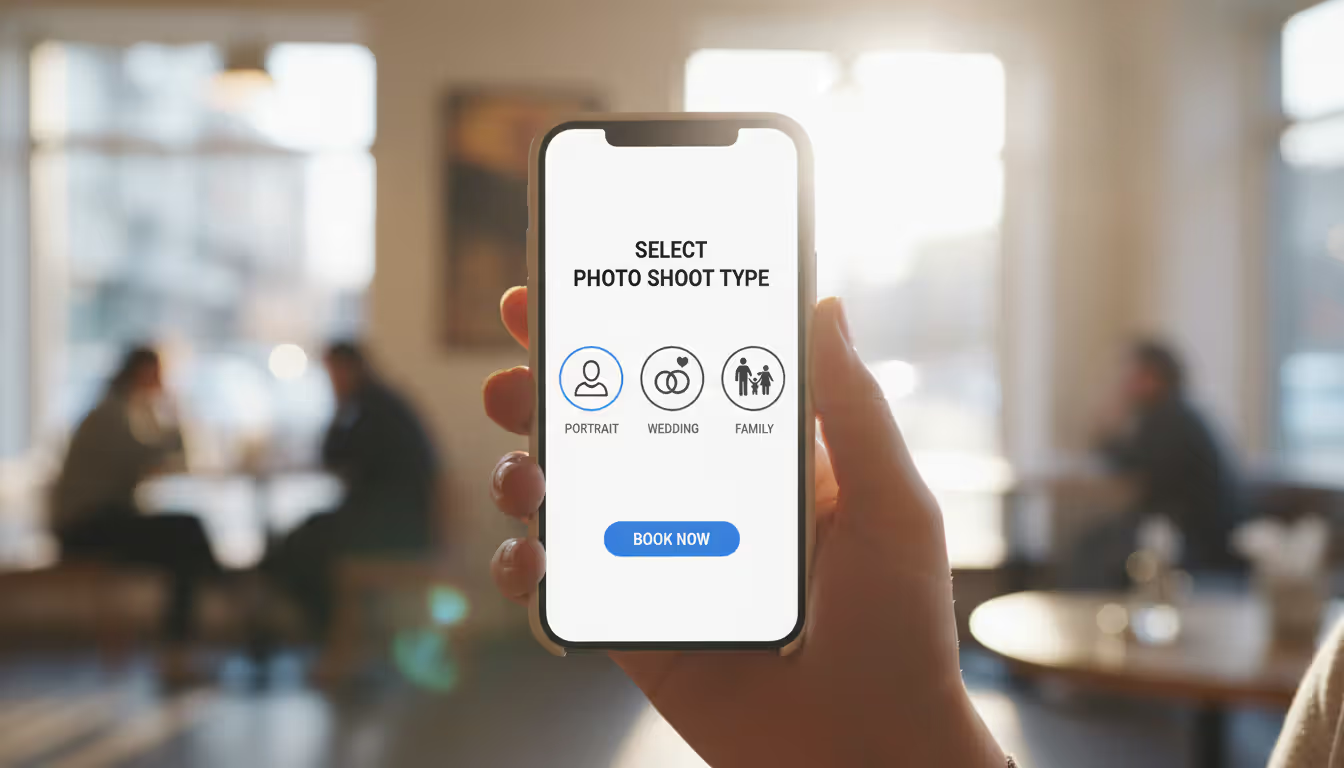
A photography booking website lets clients browse your available dates, choose which type of session they want, select an open time slot, and pay—everything happens in one smooth flow. No phone tag. No email tennis matches. They click through your services (maternity shoots, corporate headshots, wedding packages), see which dates are actually open, and book right there.
Here's why generic scheduling tools don't cut it for photographers: They're built for dentists or consultants who need basic 30-minute appointments. Photography work doesn't fit that mold. You need different rates for weekday corporate jobs versus Saturday weddings. You charge travel fees for sessions beyond 20 miles. Your newborn sessions require two-hour blocks with specific prep time, while LinkedIn headshots take 30 minutes tops.
Photography-specific platforms get these nuances. They handle session-type variations, location upcharges, and the reality that you can't book clients back-to-back because you need time to switch locations and gear.
The calendar sync piece is crucial—it connects to whatever you already use. Google Calendar, iCloud, Outlook, doesn't matter. When someone books you for October 15th at 2 PM, that block instantly appears across every device you own. Double-bookings become impossible.
Payment collection happens however you've set it up. Maybe you take 50% deposits for weddings, full payment for mini-sessions, or three-installment plans for family packages. The platform handles the math and processing automatically.
Client management is where things get really helpful. Every conversation, contract status, payment history, and session detail lives in one spot. You can instantly see which clients still owe balances, who hasn't signed their contract yet, or when to send gallery links. No more searching through six months of emails to find that one thread where they mentioned their venue address.
One more thing: Your portfolio website and your booking platform aren't the same tool. Your portfolio shows off your work and tells your brand story. The booking platform handles the business mechanics—the unglamorous "here's how you actually hire me" infrastructure that converts interested browsers into paying clients.
Author: Olivia Wrenford;
Source: maryelizabethphoto.com
How Photographer Scheduling Platforms Work
Let's walk through what happens when someone wants to book you.
They land on your booking page—either embedded in your website or via a direct link you shared. First thing they see is your service menu: engagement sessions, commercial photography, family portraits, whatever you offer. Each service shows the price, how long it takes, and relevant details like "includes 50 edited images" or "travel within 30 miles included."
After picking a service type, they see your actual availability. Not some static "contact me for dates" message—your real, live calendar showing genuinely open time slots. The platform already factored in your business hours, existing bookings, blocked-off vacation days, and any buffer time you've built between sessions. If you need 90 minutes between portrait bookings to drive across town and reset your gear, those gaps appear automatically.
They click their preferred date and time. Then they fill in contact info and answer whatever intake questions you've set up—how many people for a group shot, indoor or outdoor preference, specific requests. If you've enabled it, they review and electronically sign your service agreement right there. No printing, no scanning, no mailing PDFs back and forth.
Payment comes next. Full amount, deposit, payment plan—whatever structure you've configured for that service. They enter their card info, hit confirm, and boom. Done.
They get an instant confirmation email with all the details: what they booked, when, where to meet, what to bring, how to prepare. A calendar invite attaches automatically so it goes straight into their phone. The booking appears in your dashboard and syncs to your calendar. Reminder emails fire off at whatever intervals you've chosen—maybe one week out, then 24 hours before.
From your end, the backend runs itself. You spent an hour during initial setup configuring your hours, services, buffer times, and blocked dates. Now the platform applies those rules to every booking without you touching anything. When someone reserves you for Saturday wedding coverage, the system can automatically block Friday (load equipment, scout location) and Sunday (recover) if that's how you've configured your workflow rules.
Payment processors transfer funds to your account minus fees. Contract status updates itself. Client data flows into your CRM. You can still manually adjust individual bookings when needed—moving outdoor sessions due to weather forecasts, applying discounts, extending session times—but routine operations run themselves.
Key Features to Look for in a Booking Site for Photographers
Not all booking platforms understand photography businesses. Some are dressed-up appointment schedulers that work fine for haircuts but fall apart for our industry. Here's what actually matters.
Payment and Deposit Collection
You need real flexibility here, not just "pay now" buttons.
Your business model probably includes multiple payment scenarios: full payment upfront for quick headshot sessions, 50% deposits on event coverage, installment plans for bigger packages. The platform needs to handle retainer fees that count toward final invoices, not just standalone transactions.
Check which payment processors it supports. Stripe, Square, PayPal—you probably already use one of these, and switching payment vendors is annoying. Some platforms add their own fees on top of processor charges (gross), while others just pass through the standard 2.9% + $0.30 transaction fees.
Automatic invoicing for remaining balances saves tons of follow-up work. Say someone books wedding coverage with a $1,500 deposit against a $4,000 package. The platform should auto-generate a $2,500 invoice scheduled for whenever you want final payment—maybe two weeks before the wedding—then send polite reminder emails if it goes unpaid.
Author: Olivia Wrenford;
Source: maryelizabethphoto.com
Calendar and Availability Management
Basic calendar features won't cut it. You need granular control.
Different hours for different days matter when you don't work identical schedules Monday through Sunday. Block entire date ranges for workshops or vacations. Set recurring blackout periods—like Tuesday afternoons permanently reserved for editing, or the first Monday of each month for continuing education.
Buffer times between bookings prevent chaos. If you need 30 minutes to drive between locations or reconfigure your lighting setup, the platform shouldn't allow back-to-back reservations. Even better: different buffer times for different services. Commercial shoots might need hour-long gaps while studio portraits only require 15-minute turnarounds.
Multi-calendar sync is non-negotiable. When your partner adds "kids' soccer tournament" to the family calendar, that weekend should automatically become unavailable for client bookings. No manual updates across multiple systems.
Timezone handling matters more than you'd think—especially for destination photographers or remote clients. The system should show available times in each client's local timezone while keeping your schedule in yours. Otherwise you end up with East Coast clients thinking they booked 2 PM when you saw 11 AM on your Pacific calendar.
Client Communication Tools
Automated messaging eliminates the repetitive emails eating up your time.
Booking confirmations, session reminders, thank-you notes, review requests—these can all send automatically using templates you've customized to sound like you. The trick is making them feel personal, not robotic. Good platforms let you customize extensively, not just fill in name fields on generic corporate templates.
Built-in messaging keeps conversations organized. Instead of searching "that email thread from April where they mentioned wanting sunset timing," you access the complete conversation history attached to their booking. They ask questions, you share preparation tips, everything stays connected to the relevant session.
SMS notifications dramatically cut no-shows compared to email-only reminders. A text 24 hours before the session reaches people who don't check email regularly. Some clients treat email like a suggestion; they treat texts like commands.
Customizable intake forms gather essential information upfront. Family photographers might ask kids' ages and energy levels. Commercial photographers could request brand guidelines and aesthetic references. Getting this intel before the session lets you prepare properly and shows clients you care about their specific needs, not just filling time slots.
I recovered at least 10-12 hours every week after switching to automated booking. My clients love scheduling at midnight when they're comparing photographers, and I wake up to confirmed sessions with deposits already collected. The reminder texts alone cut my no-show rate from maybe 15% down to almost nothing—probably saved a dozen wasted drives this year
— Maria Chen
Top Booking Platforms Photographers Use in 2026
Different platforms excel at different things. Here's the honest breakdown of what photographers actually use.
HoneyBook combines booking, contracts, invoicing, and client management into one ecosystem. It's strongest for wedding and event photographers who need to send proposals and manage complex payment schedules. Pricing starts at $39/month. You get project templates, workflow automations, and client portals where people can review everything about their booking. Best fit: photographers handling multi-phase client relationships with lots of back-and-forth.
Acuity Scheduling (owned by Squarespace now) offers crazy customization depth and seamless Squarespace website integration. Starting at $16/month, you get detailed availability controls, intake forms, and payment processing. The interface skews technical but gives you granular control over every detail. Best fit: photographers who like tinkering with settings and need specific workflow configurations.
Calendly works great if you prioritize simplicity over photography-specific features. At $10/month for basic paid plans, it handles straightforward appointment scheduling well but lacks contract features and sophisticated payment options. Best fit: photographers with simple service offerings who handle contracts and payments through separate tools.
Táve targets high-volume studios and wedding photographers who want full business management beyond basic booking. Around $30/month starting price. You get lead tracking, workflow automation, and detailed reporting. Steep learning curve but powerful capabilities once you're past setup. Best fit: established businesses ready to invest in comprehensive management systems.
Pixifi focuses specifically on photography businesses with integrated studio management, scheduling, contracts, and financial tracking. Starts at $25/month. It understands photography workflows natively—things like questionnaire builders, wedding timeline creators, and vendor coordination features. Best fit: photographers wanting photography-specific all-in-one solutions.
vcita bundles booking with CRM, invoicing, and marketing tools. At $29/month for payment-enabled plans, it serves photographers who want client engagement features beyond just scheduling. The mobile app performs particularly well. Best fit: photographers growing beyond solo operations.
Author: Olivia Wrenford;
Source: maryelizabethphoto.com
SimplyBook.me delivers serious customization at budget-friendly rates—free tier available, premium plans from $9/month. It handles complex service configurations and multi-staff scheduling. The interface looks less polished than premium competitors but core functionality works solidly. Best fit: budget-conscious photographers or those with unusual scheduling needs.
Dubsado combines scheduling with client management, contracts, and workflow automation. Starting at $40/month, it delivers massive power but demands setup investment. Photographers who complete the initial configuration achieve highly automated client experiences. Best fit: detail-oriented photographers willing to build custom workflows.
Comparing Booking Websites for Photographers
Platform
Monthly Cost
Payment Processing
Contract Features
Best For
Mobile App
Key Integrations
HoneyBook
From $39
Built-in (2.9% + $0.50)
Full contract system with e-signatures
Wedding and event specialists
iOS & Android
Gmail, QuickBooks, Zoom
Acuity Scheduling
From $16
Stripe, Square, PayPal
Requires third-party tools
Photographers wanting deep customization
iOS & Android
Squarespace, Zoom, Mailchimp
Calendly
From $10
Limited (Stripe, PayPal)
No contract features
Simple appointment needs
iOS & Android
Google Workspace, Salesforce, Zoom
Táve
From $30
Multiple processors
Built-in contract system
High-volume studios
iOS & Android
QuickBooks, ShootProof, Pixieset
Pixifi
From $25
Stripe integration
Template contracts included
Photography-focused businesses
iOS & Android
QuickBooks, Gmail, ShootProof
vcita
From $29
Flexible processor options
Basic contract tools
Growing photography businesses
iOS & Android
Facebook, Mailchimp, QuickBooks Online
SimplyBook.me
From $9
Various processors supported
No contracts
Budget-conscious photographers
iOS & Android
Facebook, Google services, WordPress
Dubsado
From $40
Stripe & PayPal
Comprehensive contract tools
Automation enthusiasts
iOS only
Gmail, QuickBooks Online, Zapier
Common Mistakes When Choosing a Photography Booking Website
Picking based purely on price usually backfires.
That $10/month platform looks attractive until you realize it requires five extra hours weekly of manual work—emailing contracts, tracking payments, sending reminders. Meanwhile a $40/month platform automates all that. Calculate the value of your time, not just the subscription fee.
The client experience deserves serious attention since booking friction loses you money. Walk through the entire reservation process as if you're a potential client. Does it work smoothly on phones? Does it force people to create accounts (annoying) or allow guest checkout? Are there confusing steps or excessive form fields? Every bit of friction at this critical moment—when someone's ready to commit—translates to abandoned bookings and lost revenue.
Contract functionality gets overlooked until you're manually emailing PDFs and tracking signatures across spreadsheets. Photographers who ignore built-in contract features end up chasing outstanding agreements and dealing with "I never got it" excuses. Native contract management with e-signatures eliminates this headache completely and provides better legal documentation.
Payment limitations constrain your pricing options unnecessarily. If you want to offer payment plans but your platform only handles single transactions, you're stuck with workarounds. Verify the platform supports your entire pricing structure—deposits, installments, retainers—before committing.
Integration testing with your existing tools prevents workflow disasters. If you run QuickBooks for accounting, Gmail for client communication, and Pixieset for gallery delivery, confirm your booking platform connects seamlessly. Manually transferring data between disconnected systems wastes time and creates errors.
Thinking about future growth prevents rapid outgrowing. A solution perfect for five sessions monthly might collapse under thirty. Look at higher-tier features and capabilities you'll eventually need—multiple locations, team member scheduling, advanced analytics.
Actually using trial periods is crucial—don't buy sight unseen. Most platforms offer 14-30 day trials. Set everything up properly. Configure your full service menu, run test bookings, send sample emails, see how the dashboard feels during actual daily use.
Author: Olivia Wrenford;
Source: maryelizabethphoto.com
Frequently Asked Questions
Do I need a separate website if I use a booking platform?
Most successful photographers run both. Your main website showcases your portfolio and tells your brand story. The booking platform handles transactional stuff and scheduling. Many photographers embed their booking calendar directly into existing websites—visitors browse your work, decide to hire you, and book without leaving your site. Some booking platforms include basic website builders that work fine when you're just starting out, but dedicated portfolio sites usually showcase your work better.
Can clients pay deposits through booking websites for photographers?
Absolutely. Photography booking platforms typically handle deposit structures. You configure each service with specific payment requirements—maybe 50% down for wedding coverage, $100 retainer for portraits, or full payment for mini-sessions. The platform processes the deposit when booking completes, then can auto-generate remaining balance invoices at dates you specify. No more manual billing or payment tracking for multi-step bookings.
What's the difference between a booking site and a CRM for photographers?
Booking platforms focus on scheduling and payments—letting clients reserve time slots and pay. CRMs track broader client relationships: where inquiries came from, conversation histories, project stages, lifetime client value. Many modern platforms combine both capabilities. HoneyBook, Táve, and Pixifi include CRM features alongside scheduling. If you're using separate specialized tools, booking platforms handle transactions while CRMs manage relationship data and business analytics.
Are booking platforms suitable for wedding photographers?
Definitely, if you choose the right one. Wedding photographers need specific functionality: long booking windows (couples often book 12-18 months out), complex payment schedules (deposit, milestone payments, final balance), comprehensive contracts, and timeline coordination. Platforms like HoneyBook, Táve, and Pixifi specifically address wedding photographer needs with features like proposal builders, vendor management, and wedding day timeline tools. Simpler platforms like Calendly lack these wedding-specific capabilities.
How do booking websites handle time zone differences?
Quality platforms automatically detect each client's timezone and show available appointments in their local time while keeping your schedule in yours. When you're in California and a New York client books a 2 PM session, they see 2 PM Eastern (your 11 AM Pacific) and that's what appears on their confirmation. Your calendar shows 11 AM Pacific. This prevents confusion for destination photographers or clients booking from different regions. Always verify timezone handling if you serve geographically dispersed clients.
Can I embed a booking calendar on my existing photography website?
Yes, most platforms provide embed codes that integrate scheduling directly into your current website. Visitors view availability and complete bookings without leaving your site. The booking interface appears in an embedded frame or popup window, maintaining your site's design while using the platform's scheduling engine. This creates a seamless experience—clients browse your portfolio, click "Book Now," and schedule immediately. Some platforms also offer standalone branded booking pages when you prefer sharing direct scheduling links through social media or email.
Booking platforms fundamentally change how photography businesses operate by eliminating administrative work that drains time and creative energy. The right system cuts no-shows through automated reminders, captures deposits at booking to protect your calendar, and ends the email marathons that delay booking confirmations.
Which platform works best depends on your specific business model. Wedding photographers need robust contract workflows and complex payment schedules. Portrait photographers benefit from streamlined service menus and quick booking flows. Studio operations require multi-photographer scheduling and team coordination.
Start by identifying your biggest scheduling headaches. Losing bookings because you respond too slowly? Prioritize platforms offering 24/7 automated booking. Contract tracking creating chaos? Focus on platforms with integrated e-signature capabilities. Payment collection dragging on too long? Choose systems with automatic invoicing and payment reminders.
Test platforms thoroughly during trial periods. Set up your actual services, experience the complete client booking flow on both mobile and desktop, verify connections with your existing business tools. The platform that looks perfect in feature charts might feel clunky during daily use, while a simpler option might handle your specific workflow beautifully.
Investing in quality booking platforms pays off through recovered time, secured sessions, and professional client experiences. Modern clients increasingly expect convenient online scheduling—meeting this expectation while reclaiming your administrative hours makes these platforms essential for contemporary photography businesses.
Choosing the right platform for your photography portfolio can make or break your online presence. Squarespace has become a go-to solution for photographers who want professional-looking websites without hiring a developer. This guide walks through actual portfolios, what makes them work, and how to build yours
Photography businesses that rank on Google's first page win the clients—everyone else competes for scraps. This guide reveals exactly how to optimize your photography website for search, dominate local results, and convert organic traffic into bookings without spending on ads
Your photography website collects more personal data than you might realize. Every contact form, gallery password, and booking creates legal obligations. Learn what to include in your privacy policy, platform-specific requirements, and common mistakes photographers make
Finding the right website template can make or break your photography business's online presence. A well-chosen template saves hundreds of hours compared to building from scratch while still delivering a professional showcase for your work
The content on this website is provided for general informational and educational purposes only. It is intended to explain concepts related to running a photography business, insurance coverage, marketing, websites, and professional development.
All information on this website, including articles, guides, and examples, is presented for general educational purposes. Outcomes may vary depending on business size, location, and individual choices.
This website does not provide professional legal, insurance, financial, or business advice, and the information presented should not be used as a substitute for consultation with qualified professionals.
The website and its authors are not responsible for any errors or omissions, or for any outcomes resulting from decisions made based on the information provided on this website.