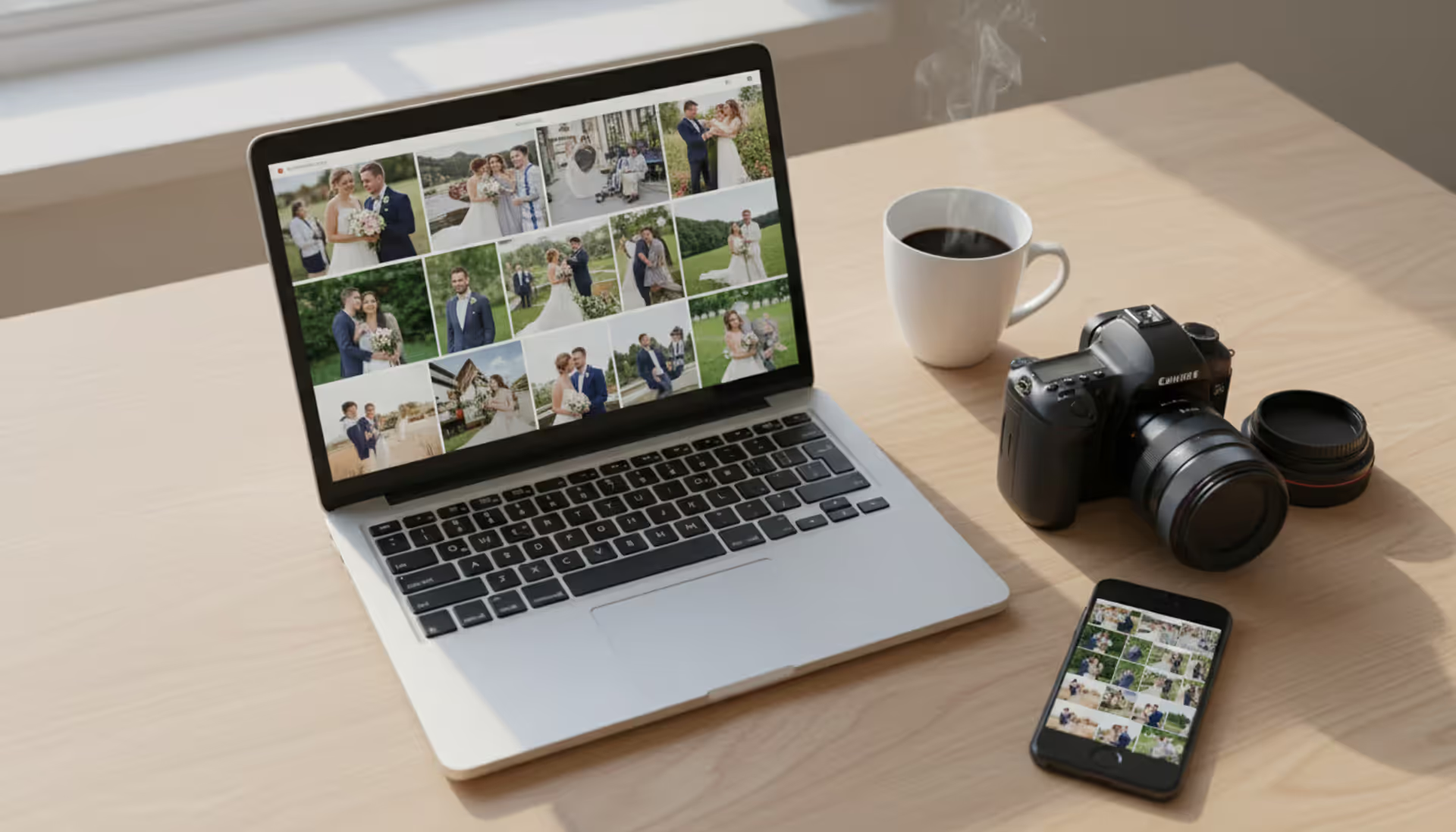
Top-down view of a photographer's workspace with a laptop showing an online photo gallery grid, a professional camera, lens, coffee cup, and a smartphone displaying the same gallery
Here's a scene I watched unfold last month at a local coffee shop: a wedding photographer juggling three USB drives, trying to remember which one had the ceremony photos and which had the reception. The bride looked confused. He looked stressed. The whole handoff took 20 minutes.
There's a better way. Modern gallery platforms let you upload photos once, then send a simple link. Your clients browse from their couch, their mom checks them from Florida, and you're not stuck burning drives or explaining file formats. These aren't just fancy Dropbox links—we're talking about proper client proofing, print ordering, mobile optimization, and enough security features to keep your work private.
What Is a Photo Gallery Website
Think of it as a password-protected space where you dump finished photos for clients to view and download. That's the basic version, anyway.
Photo gallery for photographers serves one main job: getting your edited work into clients' hands without email attachment limits, sketchy file-sharing services, or physical media that gets lost in glove compartments. You upload a wedding shoot—maybe 400 images after culling—organize them into folders, set a password, and send a link. Done.
Here's what it's NOT: your public portfolio. That's a different animal entirely.
Your portfolio shows off maybe 15-20 killer shots to book new clients. Strong SEO, flashy hero images, testimonials, pricing info. It's marketing. Your client gallery? That's delivery and logistics. No random visitor should see it, and the bride doesn't need to wade through your "About Me" page to find her bouquet toss photos.
I've seen photographers try to combine these. It gets messy fast. One feeds your business pipeline; the other fulfills promises to people who already hired you. Yeah, some platforms bundle both features, but the core purposes don't overlap much.
Most working photographers maintain both: a slick portfolio that ranks in Google, plus a separate gallery system for actual deliveries. The couple who booked you doesn't care about your SEO. They want their images, they want them organized, and they want the download button in an obvious spot.
How Photo Gallery Websites Work for Client Delivery
The workflow is pretty straightforward once you've done it twice.
You finish editing a portrait session—let's say 75 final JPGs. Upload them through your browser or a Lightroom plugin, depending on your platform. Most systems accept drag-and-drop batches. Some import directly from Capture One or Photo Mechanic.
Next: organize. Create albums if you want—"Family Formals," "Candids at the Park," whatever makes sense. Or just upload chronologically. Your call. Configure who can access it (just the client, or do you let them share the link with family?). Set an expiration if you don't want to host files forever—90 days is common, though some photographers go a full year.
Security settings matter here. Password? Private link? Both? Do you allow downloads at all, or make clients purchase prints first? The online photo gallery for photographers you choose should make these toggles dead simple, not buried three menus deep.
Hit share. Your client gets an email with a custom URL. They click, maybe enter a password, and boom—their photos. They can favorite images, leave comments ("Can you brighten this one?"), add prints to a cart, or download the whole batch as a zip file. Depends entirely on how you configured things.
The platform handles technical stuff you'd otherwise do manually: generating thumbnails, compressing for web viewing, creating mobile-friendly layouts, storing files securely. A decade ago, photographers built custom HTML galleries or used clunky FTP transfers. Now it's mostly automated.
Download options vary wildly between platforms. Some let clients grab everything instantly. Others require individual image selection. A few offer tiered access—browse all photos, but only download what you've paid for. Match this to your business model. If you're all-inclusive and charge one session fee covering digitals, unlimited downloads make sense. If you monetize through print sales, you'll want tighter control.
One wedding photographer I know uses a hybrid approach: clients can download web-sized JPGs immediately for social media, but high-res files require a print package purchase. Her platform supports that split, which is why she chose it over cheaper alternatives.
Author: Derek Halston;
Source: maryelizabethphoto.com
Key Features to Look for in a Photo Gallery Platform
Shopping for the best online gallery for photographers means ignoring half the feature lists and focusing on what actually matters for your workflow.
Client Proofing and Selection Tools
Proofing is when clients mark favorites so you know which images matter most. Instead of guessing which ceremony shots to include in the album, the couple hearts 50 images and you work from there.
The favoriting system needs to be obvious. A heart icon? Great. A "add to collection" dropdown hidden in a menu? Your clients will miss it and email you asking how to select photos. I've watched non-photographer friends navigate these galleries—if they can't figure it out in five seconds, it's poorly designed.
Comments help when clients need to explain choices. "This one, but crop tighter" gives you direction. Though be warned: enabling comments can invite endless revision requests if you haven't set boundaries in your contract.
Side-by-side comparison views work well for corporate headshots where someone needs to pick between similar expressions. Less useful for event coverage where every moment is unique. Voting features—where multiple people weigh in on selections—sounds great until you're stuck mediating a family argument about which portrait to print.
Whatever selections clients make, you need that data back in usable form. If the gallery platform integrates with Lightroom, favorites might auto-sync to a collection. If not, you're manually hunting down the corresponding raw files based on exported lists. That's a time sink.
Security and Privacy Controls
Client galleries contain weddings, newborns, family moments. A breach isn't just embarrassing—it violates trust and possibly your contract's privacy clauses.
Password protection is baseline. Better platforms add expiring links that self-destruct after, say, 60 days. Prevents old URLs from circulating indefinitely. Download limits can cap how many times each file gets retrieved, though that can backfire when clients legitimately need to re-download after switching phones.
Watermarking is divisive. Protects against casual theft, but also makes proofing galleries look cluttered. Some photographers watermark until final payment, others skip it for paid clients. Your platform should make per-gallery watermark toggles easy.
Right-click blocking and similar tricks provide minimal real security—anyone can screenshot—but they discourage opportunistic image theft. More critical: read the platform's terms of service. Make sure they don't claim usage rights to your uploads. A few sketchy services bury rights grabs in the fine print.
Two-factor authentication for your photographer account matters. If someone hijacks your login, they access ALL your client galleries at once. Look for platforms with SOC 2 compliance or GDPR certifications if you shoot European clients.
Author: Derek Halston;
Source: maryelizabethphoto.com
Mobile Access and User Experience
Pull up your gallery stats if you have them. I'd bet 60-70% of views happen on phones now, not desktops. If your gallery looks broken on mobile or requires pinch-and-zoom gymnastics, you've lost.
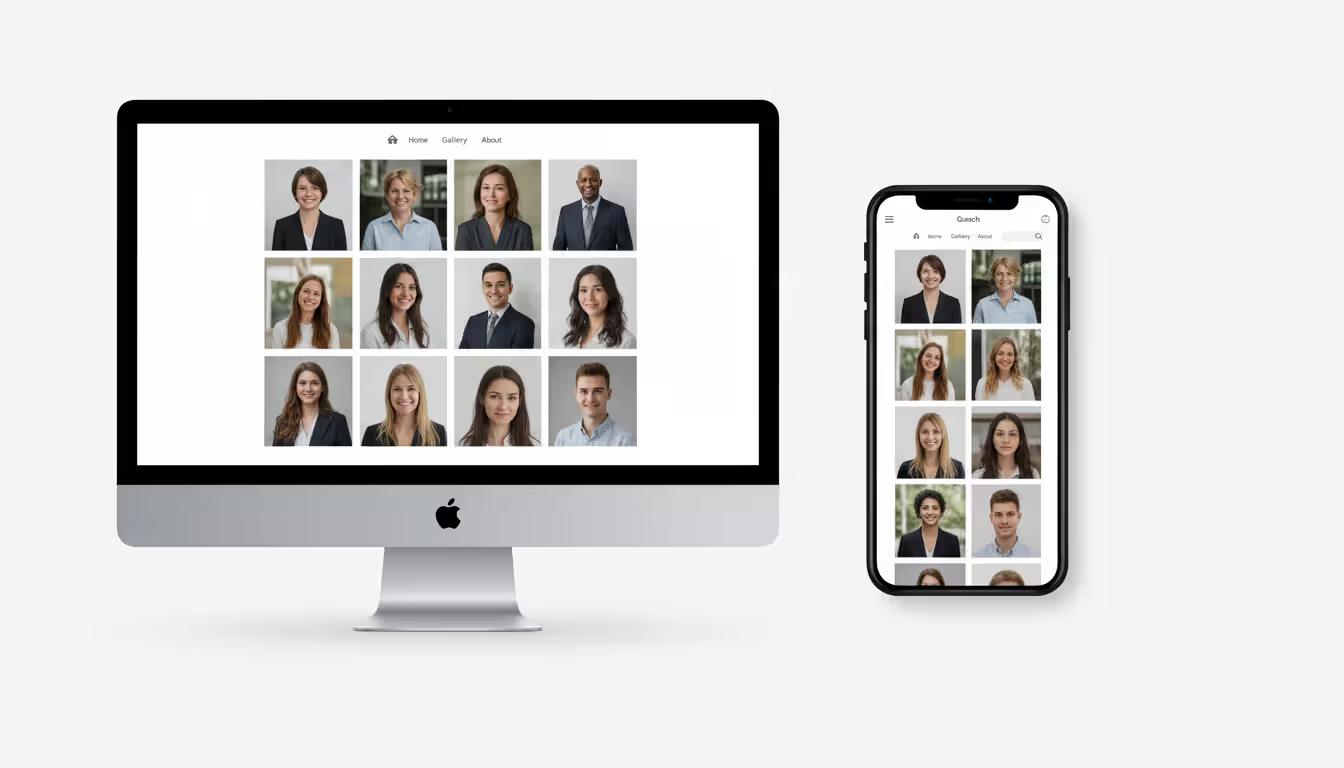
Responsive design isn't optional anymore. Images resize automatically, navigation works with swipes, download buttons are thumb-sized. Test on both iOS and Android before you commit—something that works perfectly on your iPhone might fall apart on an older Samsung.
Some platforms offer dedicated apps. Advantages: faster loading through caching, offline viewing, push notifications when new galleries arrive. Disadvantage: clients have to install software, which creates friction. I've seen clients refuse to download "yet another app" just to view photos. Browser-based galleries work everywhere but depend on internet connectivity.
Loading speed separates good platforms from frustrating ones. Eight seconds to display thumbnails feels broken. Clients refresh, email you for tech support, or give up. The best online photo gallery for photographers auto-optimizes images—generating multiple sizes for different screen sizes and connection speeds—without you manually resizing 400 files.
Search and filtering become crucial for large galleries. A 900-image wedding delivery is overwhelming without the ability to filter by time period or keyword. "Show me all photos with Grandma" should be possible. Facial recognition works brilliantly when it works, creates embarrassing mistakes when it doesn't. I've seen it tag the groom as the officiant and vice versa.
Types of Photo Gallery Websites Available
Three main categories exist, each with different trade-offs.
Platform Type
Best For
Typical Cost Range
Key Advantages
Limitations
Standalone Client Galleries
Photographers who already use separate tools for portfolio, CRM, and invoicing
$10–$40/month
Laser-focused on delivery, clean interface, no feature bloat
You're stitching together multiple subscriptions
All-in-One Photography Platforms
Full-time pros running entire businesses through one dashboard
$30–$100/month
Galleries plus booking, contracts, invoicing—data flows between modules
Expensive, overwhelming if you only need galleries
Self-Hosted Solutions
Tech-comfortable photographers who want total control and no recurring fees
$5–$20/month hosting + your time
Complete ownership, customize everything, no per-gallery charges
Requires coding knowledge, you handle security patches and backups
Standalone gallery platforms do one thing well: photo delivery. Beautiful presentation, smooth client experience, robust favoriting and commenting. You'll still need separate solutions for your portfolio site, client booking, and invoicing. But each tool excels at its specific job.
This modular approach appeals to photographers who'd rather pick best-in-class tools than compromise with an all-in-one suite. The downside? You're managing three or four subscriptions and manually moving data between them.
All-in-one platforms bundle everything: client inquiry forms, contract signing, invoice generation, session calendar, gallery delivery, print fulfillment. Book a client in March, shoot in April, deliver the gallery in May, send the invoice in June—all from one dashboard. Data flows automatically.
Sounds perfect, right? But you're paying $75/month whether you use every feature or just the galleries. And these platforms can be overwhelming. I know a part-time portrait photographer who signed up for a full business suite, got confused by all the features she didn't need, and switched back to a simpler gallery-only service.
Self-hosted solutions give you the keys to everything. Install gallery software on your web hosting (often a WordPress plugin like NextGEN or Envira), customize every design detail, own your data completely. No recurring platform fees beyond basic hosting—usually $10-15/month.
The catch: you're now the IT department. Security updates? You. Backups? You. Server goes down at 2am? Also you. For photographers with development skills or a high pain tolerance, the control is worth it. For most working pros, the time cost exceeds what you'd spend on a managed service.
Cloud-based platforms (both standalone and all-in-one) handle infrastructure automatically. Galleries stay online 24/7, files get backed up redundantly across data centers, software updates happen invisibly. You trade control for reliability and convenience.
How to Choose the Right Photo Gallery Website
Author: Derek Halston;
Source: maryelizabethphoto.com
Picking the best online photo gallery for photographers starts with honest assessment of what you actually need, not what sounds cool in marketing copy.
How many clients do you shoot monthly? A hobbyist with five sessions per year has wildly different needs than a wedding photographer delivering 30 galleries annually. High-volume shooters need batch upload efficiency and gallery templates to avoid manual setup every time. Occasional photographers can tolerate more hands-on configuration if it means paying less.
What's your business model? If you profit from print sales, you need integrated e-commerce, markup controls, and partnerships with fulfillment labs. If you charge all-inclusive session fees covering digital downloads, look for unlimited storage and easy bulk download. Platforms optimized for print sales often make digital-only delivery clunky, and vice versa.
Pricing structures hide surprises. One platform advertises "$15/month!" but charges $3 per gallery created. Shoot 20 sessions monthly? That's actually $75. Another offers unlimited galleries for $35 flat. Do the math based on your real usage—number of galleries per month, total storage needs, whether you need e-commerce.
Here's the crucial test: create a sample gallery during the free trial, then share it with someone unfamiliar with the platform. Not another photographer—grab a friend or family member who represents your typical client demographic. Watch them use it WITHOUT giving instructions.
Where do they get confused? Do they find the download button? Can they mark favorites without hunting? This real-world testing reveals friction that feature checklists never show. I've seen platforms with gorgeous photographer dashboards that completely baffled clients trying to access their photos.
Integration with existing workflow saves hours. Edit in Lightroom? Look for a publish service plugin that uploads directly instead of exporting JPGs, then re-uploading through a browser. Use a specific CRM or booking system? Check if the gallery platform integrates. Manual data entry between disconnected tools wastes time and creates errors.
The best client gallery is the one your clients actually enjoy using. If they struggle to navigate it or download their photos, even the most feature-rich platform has failed its primary purpose
— Sarah Petty
Read recent user reviews on independent sites, not testimonials cherry-picked by the company. Look for patterns in complaints. Lots of mentions about slow support response? Recurring mobile app bugs? Unexpected price increases? Those signal real problems. Pay attention to how the company responds to criticism—defensive dismissal is a red flag, constructive engagement suggests they care about customers.
Consider what happens if you switch platforms later or the company shuts down. Can you bulk-download all your galleries? Are image URLs permanent, or will old links break? I know photographers who lost years of client galleries when a platform closed unexpectedly. Choose providers with clear data export options and a track record lasting more than two years.
Common Mistakes Photographers Make with Gallery Websites
Even the right platform fails if you implement it poorly.
Dumping 600 wedding photos into one giant unsorted gallery overwhelms clients. They don't know where to start, miss important moments buried halfway through, and give up before favoriting anything. Break large shoots into logical chunks: ceremony separate from reception, getting ready photos in their own album. For smaller sessions, chronological order works fine, but consider featuring your strongest 20-30 images first—many clients won't scroll to image 200.
Testing only on your desktop monitor causes mobile disasters. That gorgeous grid layout might collapse into an unusable mess on phones. Always preview on an iPhone, an Android device, and a tablet before sharing. Some platforms offer mobile-specific layout options—use them. I've watched clients try to navigate poorly-optimized galleries on their phones, get frustrated, and wait until they're back at a computer days later. That's unnecessary friction.
Author: Derek Halston;
Source: maryelizabethphoto.com
Generic white-label galleries look unprofessional. Most platforms let you add your logo, customize colors, control fonts. A gallery matching your brand reinforces that this is official delivery from you, not some random file dump. Clients who see a completely generic interface might question whether they're viewing the real thing or clicking a phishing link.
Ignoring feedback features creates communication gaps. If a client wants more photos from a specific moment but has no way to tell you within the gallery itself, they'll email. Then you're playing detective, trying to figure out which images they mean. Enable comments, or at least include clear contact instructions inside the gallery. Some photographers add a brief video explaining how to use gallery features—especially helpful for older or less tech-savvy clients.
Expiration dates cause problems at both extremes. Set it too short (30 days) and clients panic if they're traveling or dealing with life chaos and haven't downloaded yet. Never expire? You're hosting files forever, storage costs accumulate, and you have no leverage if clients want re-access years later. Somewhere between 90 days and one year makes sense, with clear communication in advance. Put expiration dates in your contract and send a reminder email two weeks before galleries self-destruct.
Failing to set delivery expectations leaves clients wondering when photos will arrive. Specify timelines in your contract: "Gallery delivered within 3 weeks of session date." Send a heads-up email a few days before: "Finishing your edits, expect gallery link Wednesday!" When you do deliver, that email should include the link, password if applicable, simple instructions for downloading, and a reminder about expiration dates or download limits. Don't assume clients will figure it out.
Frequently Asked Questions About Photo Gallery Websites
Do I need a separate photo gallery website if I already have a portfolio?
Almost certainly yes if you're shooting professionally. Your portfolio exists to book new clients—it's public, SEO-optimized, shows your best 20 images. Your gallery system delivers 300 photos to existing clients privately. Completely different purposes. Some platforms try combining both features, but keeping them separate usually creates better experiences for each use case. Potential clients don't need to accidentally stumble onto someone else's private wedding gallery, and your paid clients don't need to wade through your "How I Got Started in Photography" blog post to download their images.
Can clients download full-resolution images from a photo gallery website?
Entirely up to you. Every decent platform lets you control download settings per gallery. You can allow full-res downloads, restrict to web-sized versions only, disable downloads entirely and require print purchases, or mix-and-match (free downloads for 20 favorites, purchase required for the rest). Some photographers include all high-res digitals in session fees; others monetize through print sales and restrict downloads accordingly. Configure your settings to match both your business model and what you promised clients in your contract.
How much does a photo gallery website typically cost?
Wildly variable depending on features and volume. Basic standalone gallery platforms start around $10-15/month for limited storage and galleries. Mid-tier services run $25-40/month with unlimited galleries and more storage. All-in-one business platforms bundling galleries with booking, contracts, and invoicing typically cost $50-100+/month. Self-hosted solutions require web hosting ($5-20/month) plus potentially paying a developer if you're not technical. Some platforms charge per-gallery fees instead of flat monthly rates—that might be cheaper if you shoot infrequently, expensive if you deliver weekly. Calculate based on your actual usage to compare accurately.
Are photo gallery websites secure for client privacy?
Reputable platforms implement solid security: password protection, SSL encryption for data transfer, secure data centers, regular security audits. But security also depends on you. Use strong passwords (not "Wedding2024"), enable expiration dates for sensitive shoots, choose platforms with clear privacy policies that don't claim rights to your uploaded content. For highly sensitive work—medical photography, certain corporate clients—verify the platform complies with relevant regulations like HIPAA or GDPR. No system is 100% hack-proof, but established platforms with SOC 2 certifications are vastly more secure than emailing zip files or using consumer file-sharing services.
Can I customize the look of my photo gallery to match my brand?
Most modern platforms offer at least basic customization—upload your logo, pick brand colors, maybe choose fonts. How deep that customization goes depends on what you're paying. Entry-level plans might give you three preset themes with limited color tweaks. Premium plans often allow custom CSS, complete layout control, custom domain names (gallery.yourname.com instead of yourname.genericplatform.com). If brand consistency matters significantly to your business—you've got a strong visual identity clients recognize—prioritize platforms with robust customization and test their capabilities during free trials. Don't just read the feature list; actually try to match it to your brand colors and see what's possible.
What's the difference between a client gallery and a public portfolio?
A client gallery is private delivery for specific people who hired you. Access is restricted, either by password or unique link. Contains the complete shoot—maybe 400 wedding images or 75 family portraits—organized for easy browsing, downloading, favoriting, potentially purchasing prints. The goal is functional: get images to clients smoothly. A public portfolio is marketing aimed at booking new clients. It's publicly accessible, optimized for search engines, showcases only your absolute best work (20-30 curated images), and includes calls-to-action like "Book Now" or "Contact Me." Portfolios emphasize visual impact and brand story; client galleries prioritize usability and delivery efficiency. You need both, they serve completely different stages of the client relationship.
A solid photo gallery website changes how you deliver work—replacing awkward USB handoffs and sketchy file-sharing links with branded, professional experiences clients can access from their couch or their mom's house three states away.
The right platform balances security, ease of use, and features matching your actual business model. A wedding photographer shooting 40+ events yearly needs different tools than a portrait specialist with ten clients annually. Print sales versus all-inclusive digital delivery? Completely different feature priorities.
Success comes from testing platforms from your clients' perspective, not just admiring the photographer dashboard. Create sample galleries, send them to non-photographer friends, watch where they struggle. The most elegant backend interface means nothing if clients can't figure out how to download their photos.
Avoid the common traps: organize galleries logically, verify mobile functionality before delivery, maintain brand consistency, communicate clearly about timelines and expiration dates. Your gallery system is often a client's final interaction with your service—make it smooth, professional, memorable in a good way.
The investment pays off in saved time, fewer tech support calls, happier clients. When a bride shares her wedding gallery with family across the country instantly, or a corporate client selects headshots for immediate publication, you've delivered value beyond just the photographs themselves. That's worth the subscription cost.
Choosing the right platform for your photography portfolio can make or break your online presence. Squarespace has become a go-to solution for photographers who want professional-looking websites without hiring a developer. This guide walks through actual portfolios, what makes them work, and how to build yours
Photography businesses that rank on Google's first page win the clients—everyone else competes for scraps. This guide reveals exactly how to optimize your photography website for search, dominate local results, and convert organic traffic into bookings without spending on ads
Your photography website collects more personal data than you might realize. Every contact form, gallery password, and booking creates legal obligations. Learn what to include in your privacy policy, platform-specific requirements, and common mistakes photographers make
Finding the right website template can make or break your photography business's online presence. A well-chosen template saves hundreds of hours compared to building from scratch while still delivering a professional showcase for your work
The content on this website is provided for general informational and educational purposes only. It is intended to explain concepts related to running a photography business, insurance coverage, marketing, websites, and professional development.
All information on this website, including articles, guides, and examples, is presented for general educational purposes. Outcomes may vary depending on business size, location, and individual choices.
This website does not provide professional legal, insurance, financial, or business advice, and the information presented should not be used as a substitute for consultation with qualified professionals.
The website and its authors are not responsible for any errors or omissions, or for any outcomes resulting from decisions made based on the information provided on this website.