Finding the right website template can make or break your photography business's online presence. A well-chosen template saves hundreds of hours compared to building from scratch while still delivering a professional showcase for your work. The challenge lies in navigating dozens of platforms, each promising the perfect solution for photographers.
What Are Photography Website Templates
Photography website templates are pre-designed website frameworks built specifically to display visual work. Unlike custom-coded sites that require hiring a developer and waiting weeks for completion, templates provide ready-made structures you can populate with your own images, text, and branding within hours or days.
Templates fall into two main categories: drag-and-drop builders and coded themes. Drag-and-drop platforms like Squarespace and Wix let you move elements around visually without touching code. You click, drag, and drop components where you want them. Coded templates—typically WordPress themes—require basic familiarity with content management systems but offer deeper customization. You'll edit settings through dashboards rather than manipulating code directly, though access to CSS and HTML remains available for advanced users.
The core difference from custom sites comes down to starting point and constraints. Custom development begins with a blank canvas, meaning every pixel can serve your exact vision. Templates start with established layouts, color schemes, and navigation patterns. You trade some creative freedom for speed and cost savings. A custom photography site might cost $3,000–$15,000 and take two months to launch. A template-based site can go live for $100–$500 in a weekend.
Most photography templates now include built-in features photographers need: lightbox galleries, full-screen image displays, password-protected client galleries, and contact forms. The quality gap between templates and custom sites has narrowed considerably. Many professional photographers run successful businesses entirely on template-based sites.
Author: Caleb Renshaw;
Source: maryelizabethphoto.com
Key Features to Look for in Photography Website Templates
Gallery layouts determine how visitors experience your work. Look for templates offering multiple display options: grid galleries for showing range, full-screen slideshows for impact, and masonry layouts that accommodate different image dimensions without cropping. The best photography website templates let you switch between layouts without rebuilding pages. A wedding photographer might use grids for portfolio browsing but full-screen galleries for individual wedding stories.
Mobile responsiveness isn't optional—roughly 65% of photography website traffic comes from phones and tablets. Test any template on actual mobile devices before committing. Images should scale properly, galleries should remain navigable with thumb gestures, and text should stay readable without zooming. Some templates look flawless on desktop but break on mobile, with overlapping text or tiny navigation buttons.
Client proofing capabilities separate hobby-level templates from professional tools. Client galleries should support password protection, image favoriting, and download controls. Real estate photographers need clients to select which shots to use. Wedding photographers need couples to choose prints. Without built-in proofing, you'll resort to third-party tools like Pixieset, adding complexity and monthly fees.
Booking integration streamlines client acquisition. Templates with native scheduling tools let potential clients book consultation calls or sessions directly from your site. This eliminates the back-and-forth email dance of finding available times. Calendar sync with Google Calendar or iCal prevents double-bookings.
SEO capabilities affect whether anyone finds your site. Photography website templates should allow custom page titles, meta descriptions, alt text for images, and clean URL structures. Some template builders generate messy code that search engines struggle to parse. Others build SEO tools directly into the editing interface, prompting you to add descriptions and tags as you upload images.
Types of Photography Website Templates by Specialty
Wedding and Portrait Photography Templates
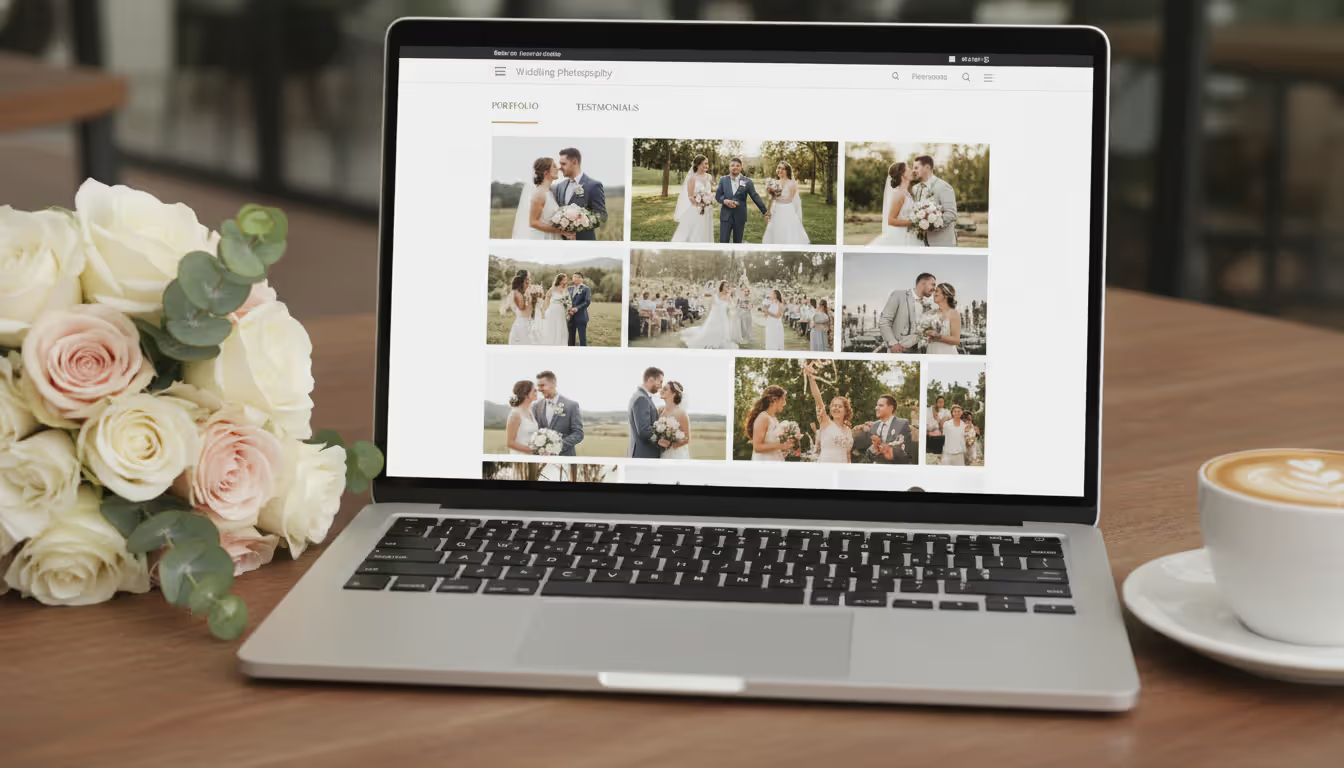
Wedding templates emphasize emotional storytelling through image sequences. Look for designs supporting long-form galleries—50 to 100+ images per wedding—without performance lag. The best templates include dedicated "investment" or pricing pages, since wedding clients expect transparent package information. Testimonial sections carry extra weight in this specialty; couples research heavily and trust peer reviews.
Portrait photography templates often feature before-and-after sliders, useful for showing retouching quality or transformation work like newborn photography. Family portrait photographers benefit from templates with prominent session information pages explaining what to wear, how to prepare kids, and what to expect during shoots.
Author: Caleb Renshaw;
Source: maryelizabethphoto.com
Real Estate Photography Templates
Real estate photography website templates prioritize speed and clarity over artistic flair. Agents browsing photographer sites want to see property shots fast, understand pricing instantly, and book without friction. The most effective templates use clean grids showcasing interiors, exteriors, and aerial shots separately.
These templates often integrate location-based portfolios. A real estate photographer might organize galleries by neighborhood or city, helping agents find relevant local work quickly. Turnaround time information belongs prominently on real estate templates—agents need to know if you deliver edited images in 24 hours or 72 hours.
Virtual tour embedding distinguishes specialized real estate photography templates from general options. As 3D tours and Matterport scans become standard deliverables, templates must support embedding these interactive elements alongside standard photos. Some templates struggle with iframe embeds or video content, creating awkward display issues.
Commercial and Product Photography Templates
Commercial photography templates emphasize versatility and professionalism. These photographers serve diverse clients—restaurants, manufacturers, e-commerce brands—so templates need to showcase range without appearing scattered. Multi-category portfolio organization becomes essential. A commercial photographer might separate food, product, lifestyle, and corporate headshot work into distinct galleries.
Product photography templates often include e-commerce features since many product photographers sell stock images or offer prints. Shopping cart integration, digital download delivery, and licensing options matter here. The template should clearly communicate usage rights and licensing tiers if you sell images directly.
Brand consistency tools help commercial photographers. Templates offering custom color palettes, font controls, and logo placement options let you align your site with your business brand. Commercial clients judge professionalism partly on visual cohesion.
The camera is an instrument that teaches people how to see without a camera
— Dorothea Lange
How to Choose the Right Photography Website Template
Start by auditing your portfolio display needs. Count how many images you want on your homepage—some templates accommodate 20+ grid thumbnails, others limit you to 6–8 featured shots. Determine whether you need single-image hero sections or multi-image carousels. Consider your update frequency. If you add new work weekly, choose templates where swapping images takes seconds, not minutes of menu navigation.
E-commerce requirements shape template selection significantly. Photographers selling prints, digital downloads, or stock images need robust shopping features: product variants (size options), tax calculation, shipping integration, and secure checkout. Platforms like Shopify offer photography templates with powerful e-commerce but less sophisticated gallery displays. Photography-specific platforms like Format excel at galleries but offer simpler stores. Decide which matters more for your revenue model.
Customization flexibility creates a balancing act. Heavily customizable templates offer freedom but require time investment. You'll spend hours tweaking fonts, spacing, and colors. Rigid templates limit creative control but get you online faster with less decision fatigue. Assess honestly: will you actually customize extensively, or will you stick close to the default design? Many photographers buy highly flexible templates then use only basic features.
Budget considerations extend beyond template purchase price. Free templates exist but typically include platform branding, limited storage, or restricted features. Premium templates cost $50–$300 for one-time purchases (WordPress themes) or $15–$40 monthly (subscription platforms). Factor in hosting fees ($5–$30 monthly), domain registration ($12–$15 annually), and potential plugin costs. A "free" template on a premium platform might cost $300 annually once you add necessary features.
Author: Caleb Renshaw;
Source: maryelizabethphoto.com
Common Mistakes When Selecting Photography Website Templates
Ignoring load speed kills conversions. A template packed with animations, video backgrounds, and parallax scrolling might look impressive but load slowly. Photography sites already strain bandwidth with high-resolution images. Adding heavy template code on top creates 5–10 second load times that drive visitors away. Google's research shows 53% of mobile visitors abandon sites taking over three seconds to load. Test template demos on slow connections and mobile data before buying.
Choosing style over function derails many photographers. That minimalist template with tiny, artistic thumbnails might win design awards but hide your work. Visitors can't appreciate your photography if images display postage-stamp size. Conversely, templates plastered with every possible feature—social feeds, blog carousels, newsletter popups, chat widgets—create visual chaos. Your photos should dominate; template elements should recede.
Not testing mobile view thoroughly leads to post-launch regret. Desktop testing catches maybe 40% of issues. Grab your phone and actually navigate the template demo. Try tapping small buttons with your thumb. Attempt to view a gallery. Fill out the contact form. Many templates have mobile navigation buried under confusing hamburger menus or galleries that don't swipe smoothly.
Overlooking SEO tools means starting with a handicap. Some beautiful templates generate image-heavy pages with minimal text, giving search engines nothing to index. Others lack basic meta tag controls or create duplicate content issues. Photography websites portfolio pages need descriptive text, location information, and proper image optimization. If the template makes adding this content difficult, your search visibility suffers.
Author: Caleb Renshaw;
Source: maryelizabethphoto.com
Cost Breakdown for Photography Website Templates
Free templates appeal to photographers just starting out, but limitations surface quickly. Platforms like Wix and WordPress.com offer free tiers with platform branding (ads or "Powered by" notices), limited storage (often 500MB–1GB), and no custom domain. You're stuck with URLs like "yourname.wixsite.com/photography" instead of "yourname.com." Free templates work for testing concepts but appear unprofessional for client-facing businesses.
Premium templates typically cost $30–$100 for one-time purchases through marketplaces like ThemeForest. You buy the template files, install them on your hosting, and own them permanently. Annual support and updates often cost extra—$20–$30 yearly. These templates require separate hosting ($60–$200 annually) and domain registration ($12–$15 annually). Total first-year cost: roughly $150–$350.
Subscription platforms bundle template, hosting, and features into monthly fees. Squarespace runs $16–$49 monthly ($192–$588 annually). Format ranges $10–$25 monthly ($120–$300 annually). Wix spans $16–$45 monthly ($192–$540 annually). These platforms include SSL certificates, hosting, and support. You're paying for convenience and integrated features but losing ownership—cancel your subscription and your site disappears.
Add-on costs accumulate depending on needs. E-commerce features often require upgraded plans ($20–$40 monthly extra). Advanced SEO tools might cost $10–$30 monthly. Email marketing integrations, booking systems, and client gallery apps each add $5–$20 monthly. A fully-featured photography site can reach $50–$100 monthly on subscription platforms once you add necessary tools.
Annual versus one-time payments present different value propositions. One-time template purchases cost less long-term if you maintain the site for years. A $75 template plus $100 annual hosting costs $175 year one, then $100 annually after. A $25 monthly subscription costs $300 annually forever. However, subscription platforms handle technical updates, security patches, and feature additions automatically. One-time purchases require you to manage updates and troubleshoot issues.
Platform
Starting Price
Portfolio Gallery Options
Client Proofing
E-commerce Capability
Best For
Squarespace
$16/month
Grid, slideshow, masonry
Password-protected galleries
Full store with variants
Wedding and portrait photographers wanting all-in-one simplicity
Format
$10/month
Unlimited galleries, lightbox
Built-in client proofing
Basic store, digital downloads
Professional photographers prioritizing portfolio display
Wix
$16/month
Customizable grids, Pro Gallery
Third-party integrations
Full e-commerce via Wix Stores
Photographers wanting maximum design flexibility
WordPress (Prophoto)
$99/year
Unlimited custom galleries
Plugin-dependent
WooCommerce integration
Photographers comfortable with WordPress seeking control
Do I need coding skills to use photography website templates?
No coding knowledge is required for modern drag-and-drop platforms like Squarespace, Wix, or Format. You'll edit content through visual interfaces—clicking to change text, dragging to reposition elements, and uploading images through file browsers. WordPress templates require slightly more technical comfort. You'll navigate dashboards, install plugins, and adjust settings through menus. Basic HTML/CSS knowledge helps with customization but isn't mandatory for launching a functional site. If you can use Microsoft Word and upload photos to social media, you can manage most photography website templates.
What's the difference between free and paid photography website templates?
Free templates include platform branding, limited storage (usually under 1GB), restricted features, and no custom domain support. You'll display "Powered by [Platform]" notices and use subdomains like "yourname.platform.com." Free templates often lock advanced features—e-commerce, custom CSS, analytics integration, or ad removal—behind paid upgrades. Paid templates remove branding, provide custom domains, increase storage (often 10GB–unlimited), and unlock professional features. The quality gap has narrowed; some free templates look polished but lack the functionality paying clients expect.
Can I sell photos directly from a photography website template?
Yes, most modern photography website templates support direct sales through integrated e-commerce or plugin additions. Platforms like SmugMug and Zenfolio include built-in print fulfillment—clients order prints, the platform handles printing and shipping, you receive commission. Squarespace and Wix offer full e-commerce stores for selling digital downloads, prints you fulfill yourself, or physical products. WordPress templates integrate with WooCommerce for complete store functionality. Choose templates explicitly mentioning e-commerce or digital download capabilities if selling photos is central to your business model.
How do real estate photography website templates differ from standard ones?
Real estate photography website templates prioritize speed, clarity, and quick-scan browsing over artistic presentation. They typically feature cleaner grids, faster loading times, and prominent pricing/turnaround information. Many include location-based portfolio organization so agents can filter by neighborhood or city. Real estate templates often support virtual tour embeds (Matterport, 3D scans) and video walkthroughs more robustly than general templates. The design aesthetic skews more corporate and straightforward—real estate clients value efficiency over creative layouts.
Are photography website templates mobile-friendly?
Most photography website templates created after 2020 include mobile responsiveness as a standard feature. However, quality varies significantly. Some templates simply shrink desktop layouts, creating tiny buttons and awkward navigation. Better templates use responsive design that restructures layouts for mobile—stacking elements vertically, enlarging touch targets, and optimizing image sizes. Always test template demos on your actual phone before purchasing. Navigate galleries, submit contact forms, and check loading speed on mobile data. Mobile-friendly on paper doesn't guarantee good mobile experience in practice.
Can I customize a photography website template after purchase?
Yes, all photography website templates allow post-purchase customization, though depth varies by platform. Drag-and-drop builders let you change colors, fonts, layouts, and content easily through visual editors. WordPress templates offer deeper customization through CSS editing, plugin additions, and theme settings. Most platforms let you switch between different templates even after launching, though you'll need to reconfigure content. The question isn't whether you can customize, but how much effort customization requires. Some templates offer 200+ settings; others provide 10 basic options. Match customization depth to your skill level and available time.
Selecting the right photography website template means balancing aesthetic appeal with practical functionality. The template showcasing your work beautifully matters little if it loads slowly, confuses mobile visitors, or lacks client proofing tools you need daily. Start by listing your must-have features—client galleries, booking integration, e-commerce—then filter templates meeting those requirements. Test thoroughly on mobile devices and slow connections before committing.
Budget realistically beyond the template purchase price. Factor in hosting, domain registration, premium features, and the time you'll invest in customization. A slightly more expensive platform that gets you online in a weekend often delivers better ROI than a cheap template requiring weeks of troubleshooting.
Your website template isn't permanent. Most photographers upgrade or switch platforms as their business evolves. Choose something that serves your current needs and budget rather than overbuying features you might use someday. A functional site attracting clients today beats a perfect site you'll launch next year.
Choosing the right platform for your photography portfolio can make or break your online presence. Squarespace has become a go-to solution for photographers who want professional-looking websites without hiring a developer. This guide walks through actual portfolios, what makes them work, and how to build yours
Photography businesses that rank on Google's first page win the clients—everyone else competes for scraps. This guide reveals exactly how to optimize your photography website for search, dominate local results, and convert organic traffic into bookings without spending on ads
Your photography website collects more personal data than you might realize. Every contact form, gallery password, and booking creates legal obligations. Learn what to include in your privacy policy, platform-specific requirements, and common mistakes photographers make
Building a photography website requires more than uploading images to a template. The platform you choose determines how clients experience your work, whether you can close sales efficiently, and how much time you'll spend on maintenance versus shooting
The content on this website is provided for general informational and educational purposes only. It is intended to explain concepts related to running a photography business, insurance coverage, marketing, websites, and professional development.
All information on this website, including articles, guides, and examples, is presented for general educational purposes. Outcomes may vary depending on business size, location, and individual choices.
This website does not provide professional legal, insurance, financial, or business advice, and the information presented should not be used as a substitute for consultation with qualified professionals.
The website and its authors are not responsible for any errors or omissions, or for any outcomes resulting from decisions made based on the information provided on this website.