Picture this: An engaged couple grabs their phone on a Tuesday evening. They pull up Google. Their fingers type out something like "wedding photographer near me" or maybe "best wedding photographer [their city]." Your photography website? Nowhere on that first page. You just became invisible to a potential $4,000 booking.
Here's the difference between search traffic and every other marketing channel: intent. Someone finds your Instagram through random scrolling—maybe they'll remember you in six months when they need photos. Probably not. Search visitors already decided they need a photographer. They're looking right now. They'll book someone this week.
I've watched photographers in mid-sized markets rank first for "family photographer [city name]" and field 15-20 inquiries monthly. Zero ad spend. Just organic visibility. Meanwhile, their competitors dump $800/month into Facebook ads for maybe five inquiries, two of which are price shoppers who ghost after the quote.
Let me show you the actual math on one photographer I know in Fort Worth. She ranks page one for eleven different local searches. Conservative estimate: each term brings four visitors monthly. That's 528 people annually visiting her site because Google sent them. Her inquiry rate sits around 4%. Booking rate? About 35% of inquiries. Seven new clients per year, averaging $2,800 per session. Over $19,000 in revenue she didn't pay Google Ads for.
Plus there's credibility. You ever notice how ranking at the top makes you seem more established? Like you've been around, you're legitimate? Clients see five-star reviews on your Google Business listing before they even click through. That social proof does half your selling before you've said a word.
Search visibility isn't sexy. It doesn't feel as exciting as going viral on TikTok. But it's reliable. Predictable. And it stacks—every month you rank well builds on the previous month's traffic.
How Search Engines Rank Photography Websites
Google treats visual-heavy websites differently than text blogs. Your portfolio site faces challenges a copywriter's blog never encounters.
The basics still matter—relevant text content, quality backlinks, technical performance, smooth user experience. But photography businesses need to prove legitimacy through different signals. Google's Experience, Expertise, Authoritativeness, and Trustworthiness framework (E-E-A-T) looks at your portfolio quality, yes, but also client testimonials, published features, award mentions, vendor partnerships.
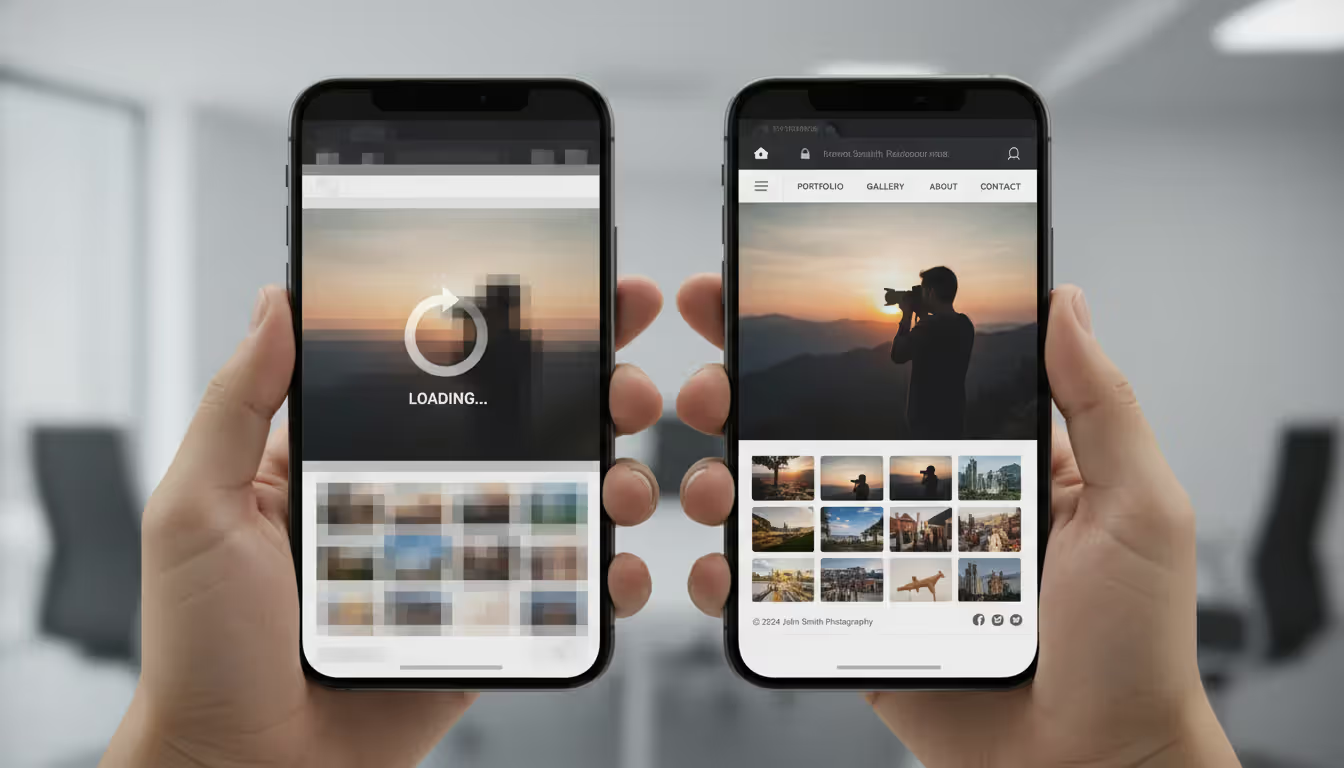
Here's where photographers shoot themselves in the foot: image-heavy pages crawl to a stop on mobile. I've audited portfolio sites taking 14 seconds to load. Guess what Google does with that? Ranks you below competitors whose sites load in three seconds. Speed isn't just important—it's make-or-break.
User behavior sends powerful signals. Visitor lands on your homepage, waits four seconds for images to render, hits the back button? Google just learned your site didn't match search intent. Do that enough times and you'll drop rankings fast. Your stunning full-bleed hero image creating that four-second delay just cost you visibility.
For service-area photographers—weddings, portraits, events, newborns—local factors dominate everything. Your Google Business Profile matters more than your actual website in many cases. Directory listings (what SEO folks call citations) across wedding sites, local directories, vendor lists. Geographic signals in your website content. All of this determines whether you appear for "photographer + location" searches.
One technical piece helps: schema markup. It's code that labels your content clearly for search engines. "This is a photo gallery." "This is a service description." "This is a price range." Doesn't boost rankings directly, but makes your search result listings richer and more clickable.
Content is fire, social media is gasoline
— Jay Baer
Optimizing Your Photography Website for Search
Technical Setup and Site Speed
Your wedding galleries probably contain 75-120 images. If each image weighs 3-5 megabytes unoptimized, you've created a 300MB page. Nobody waits for that. Google definitely won't rank it.
Solution one: lazy loading. Images load only as visitors scroll down to them. Cuts your initial page weight by 70% or more. The visitor sees the first five photos immediately, and the rest load progressively.
Content delivery networks (CDNs) store copies of your images on servers worldwide. A Seattle client accesses images from a West Coast server. Miami clients pull from an East Coast server. Makes a noticeable difference—we're talking seconds shaved off load time.
Budget hosting falls apart under photography site demands. Those $7/month shared hosting plans? They'll struggle. Your site needs proper resources—managed WordPress hosting or photography-specific platforms handle the bandwidth and processing power.
Browser caching stores images locally on repeat visitors' devices. Someone browses your portfolio today, comes back tomorrow—their browser loads stored images instead of downloading everything again. Set cache expiration for images at 30-90 days.
Every site needs an SSL certificate now. The little padlock in the browser address bar. Sites without it trigger "Not Secure" warnings that scare visitors off. Plus Google penalizes non-HTTPS sites. Most hosting providers include free certificates—you just need to activate them.
Core Web Vitals are Google's measuring stick for user experience. Three metrics matter: Largest Contentful Paint (main content should fully render within 2.5 seconds), First Input Delay (page should respond to clicks within 100 milliseconds), and Cumulative Layout Shift (elements shouldn't jump around as the page loads—score needs to stay under 0.1). Run your site through PageSpeed Insights and you'll see exactly where you stand.
Author: Derek Halston;
Source: maryelizabethphoto.com
Mobile Responsiveness and User Experience
About 73% of photography searches happen on phones. Wedding venue research? Phones. Looking for a newborn photographer during maternity leave? Phone. Searching for headshot photographers during lunch break? Phone.
Your three-column desktop portfolio grid needs to reflow into a single scrollable column on mobile. Navigation designed for mouse cursors needs to work for thumbs. Buttons require proper touch targets—trying to tap a 20-pixel contact link on an iPhone is infuriating.
Don't just resize your browser window to "test" mobile. Grab an actual iPhone, an actual Android phone, and browse your site. Check load times on cellular data, not your office WiFi. I've seen sites that look fine on WiFi take 11 seconds on 4G. That visitor already left.
Simplify everything for mobile. Your desktop site might list ten photography services in a mega menu. Mobile users need streamlined navigation—clear hierarchy, collapsible sections, obvious contact buttons.
Pop-ups on mobile are death. Google specifically penalizes intrusive pop-ups that cover content. That full-screen newsletter signup appearing immediately on mobile? Destroying your rankings and annoying visitors simultaneously.
Image Optimization and Alt Text Best Practices
Images showcase your work and simultaneously wreck your site performance. The trick is balancing visual quality with technical optimization.
Before uploading anything, resize to actual display dimensions. Your portfolio grid shows 400x300 pixel thumbnails? Don't upload 5400x3600 pixel files straight from Lightroom. The browser downloads that 8MB file just to shrink it down—wasting everyone's time and bandwidth.
WebP format cuts file size by 30% compared to JPEG without visible quality loss on screens. Modern browsers support it. Add JPEG fallbacks for older browsers, but serve WebP to everyone else.
Aggressive compression works better than photographers expect. A portfolio image can compress to 120-180KB while looking excellent on screens. Printing is different—but web visitors aren't printing. Tools like ShortPixel, Imagify, or TinyPNG make batch compression simple.
Alt text serves accessibility (screen readers for visually impaired visitors) and SEO (context for Google). Write natural descriptions. Instead of "IMG_8473.jpg," write "outdoor ceremony at Barr Mansion overlooking Hill Country." Skip the keyword stuffing—"Austin wedding photographer best Texas Hill Country wedding photography outdoor ceremony photographer Austin" sounds spammy and helps nothing.
File naming matters before upload. "summer-engagement-session-zilker-park.jpg" gives Google context. "DSC_2847.jpg" tells Google nothing.
Create an image sitemap listing all portfolio images with captions, dates, locations. Submit it through Google Search Console so Google knows all your images exist and can index them properly.
Local Search Strategies for Photography Services
Portrait photographers in Phoenix don't need traffic from Baltimore. Wedding photographers in Minneapolis aren't booking destination weddings in San Diego (usually). Local visibility targets clients within driving distance.
Your Google Business Profile outweighs almost everything else for local rankings. Claim it, verify it, then optimize every single field. Pick the most specific primary category available—"Wedding Photographer" beats generic "Photographer." Add relevant secondary categories: Portrait Studio, Event Photographer, Commercial Photography, Headshot Service.
Fresh photos posted to your Business Profile weekly signal active business. Google rewards this. Upload photos of yourself working, your gear, client sessions (with permission obviously), your studio space, local venues you've shot at.
Reviews need systematic collection. Two weeks after delivering final galleries, email clients thanking them and including your Google review link. Make it easy—direct link, one click. Respond to every review within 48 hours. Thank people for positive reviews. Address concerns in negative reviews professionally. Review quantity, freshness, and rating all influence where you rank locally.
Citations (directory listings) across the web establish your location and legitimacy. List on Yelp, The Knot, WeddingWire, Thumbtack, local chamber of commerce, industry-specific directories. Critical detail: your NAP (Name, Address, Phone) must match exactly everywhere. "Street" versus "St." or different phone formats confuses Google and dilutes ranking power.
Location pages on your website matter more than photographers realize. A single "Service Areas" page listing ten cities barely helps. Create dedicated pages for each major area you serve: "Maternity Photography in Scottsdale," "Corporate Headshots Downtown Phoenix," "Family Portraits in Tempe." Include neighborhood names, local landmarks, area-specific details. These pages target geo-specific searches directly.
Local backlinks carry serious weight. Photograph a charity event and get linked from their recap post. Join a wedding venue's preferred vendor list. Partner with planners who link to you. Get featured in local publications. A link from a popular venue's vendor page or a local magazine's "best photographers" roundup signals local authority to Google.
LocalBusiness schema markup structures your service areas, hours, contact details in machine-readable format. Not complicated to add, but many photographers skip it.
Author: Derek Halston;
Source: maryelizabethphoto.com
Keyword Research and Content Planning for Photographers
Your ideal client doesn't search for "candid photojournalistic storytelling with artistic composition." They Google "wedding photographer Chicago" or "how much does a family photographer cost."
Start with Google's autocomplete. Type "portrait photographer" and watch suggestions populate: "portrait photographer near me," "portrait photography prices," "portrait photographer cost," "portrait studio." These reflect real searches real people actually type.
Free tools show search volume and related terms. Google Keyword Planner, AnswerThePublic, Ubersuggest all work. A keyword showing 40 monthly searches in your city beats 6,000 national searches if you only shoot locally.
Specific keywords convert better. "Photographer" is hopeless—too broad, too competitive. "Family photographer" narrows it. "Outdoor family photographer Nashville" targets exactly your ideal client. Someone searching that knows what they want. Higher conversion rate than generic searches.
Portrait photographers target life stages and occasions: "newborn photographer," "cake smash photography," "senior portrait photographer," "extended family reunion photographer." Commercial photographers focus on industries: "architectural photography," "restaurant food photographer," "Amazon product photography," "corporate event photographer."
Search intent matters as much as keywords. Someone searching "wedding photographer cost" is researching and comparing—create a detailed pricing guide answering common questions. "Wedding photographers available April 2025" signals ready-to-book intent—make your contact form and calendar obvious.
Content clusters build topical authority. Central "Wedding Photography" page links to related pages: "Engagement Sessions," "Bridal Portraits," "Rehearsal Dinner Coverage," "Getting Ready Photos," "Reception Photography," "Wedding Album Design." This internal linking structure tells Google you're an expert on weddings specifically.
Question keywords fuel blog content. "What should I wear for engagement photos?" "When should we book our wedding photographer?" "How long does a newborn session take?" These long-tail searches bring early-stage researchers who'll eventually need to book someone.
Common SEO Mistakes Photographers Make
Gorgeous portfolios tank in search results constantly. These mistakes appear over and over.
Sites built entirely around galleries with minimal text. Homepage shows your logo and image grid. Zero written content. Google can't rank what it can't read. Every important page needs 300+ words of actual descriptive text about your services, approach, location, specialties.
Copy-pasted descriptions across multiple galleries. Using identical text for twenty different wedding galleries screams low-effort. Google spots duplicate content immediately. Write unique descriptions for each gallery highlighting specific details: the venue, season, particular challenges, unique moments, stylistic choices.
Empty title tags and meta descriptions. Leaving these blank lets Google auto-generate them from random page text fragments. Every page deserves a unique, keyword-relevant title under 60 characters and compelling meta description under 160 characters that makes people want to click.
Never testing on mobile devices. You built the site on a 32-inch monitor, tested it on your laptop, called it done. Meanwhile, mobile visitors can't tap your tiny contact button, text requires pinch-zooming, images overflow horizontally. Grab a phone. Test thoroughly.
Uploading massive uncompressed images. Straight from Lightroom to WordPress. 12MB per image. Page load time: 18 seconds. Visitors bounce. Google notices. Rankings drop. Compress everything before upload.
Hiding contact information. Visitors scroll your beautiful portfolio, can't figure out how to reach you, leave. Put clear contact buttons on every page. Make inquiry forms obvious.
Starting a blog, abandoning it after three posts. Published January 14, January 18, January 29, then radio silence until December. Google interprets this as low-quality or inactive. Monthly consistency beats intensity bursts.
Buying cheap backlink packages. Those "$79 for 500 high-authority backlinks" services deliver garbage directory spam that triggers Google penalties. One legitimate link from a respected wedding blog beats 500 spam links.
Burying important content deep in site structure. Your best gallery is six clicks deep through nested submenus. Google and visitors never find it. Important pages should sit two clicks maximum from homepage.
Author: Derek Halston;
Source: maryelizabethphoto.com
Measuring Your SEO Results
Optimization without tracking is just guessing. Monitor these metrics to see what's working.
Install Google Analytics 4 on your website. Configure conversion tracking for contact form submissions, phone number clicks, email clicks. Conversions matter more than traffic—twelve visitors who all inquire beats 1,200 visitors who browse and leave.
Connect Google Search Console to watch search performance. Which queries show your site in results? What's your average position? Click-through rate? Total impressions? A search term showing 600 monthly impressions with you ranking position 12 represents opportunity—small improvements push you to page one.
Track organic traffic trends monthly and yearly, not daily. Traffic fluctuates naturally. Wednesday being slow doesn't mean failure. Compare this month to last month, this year to last year. That reveals real trends.
Monitor your target keyword rankings using SEMrush, Ahrefs, or free options like Search Console. Focus on top 20 positions—ranking #52 for "wedding photographer" is meaningless. Celebrate moving from position 9 to position 5 for "newborn photographer [your city]."
Google Business Profile Insights shows local visibility. How many people found your profile through search versus maps? Which queries triggered your listing? How many clicked through to your website or called you directly?
Author: Derek Halston;
Source: maryelizabethphoto.com
Calculate actual conversion rates. Organic visitors divided by inquiries. Inquiries divided by bookings. Maybe 100 organic visitors generate four inquiries but zero bookings—you're ranking for wrong keywords attracting tire-kickers instead of ideal clients.
Track revenue attribution. Tag inquiry sources in your CRM or spreadsheet. When someone books, note how they found you: Google search, Instagram, referral, paid ad. This proves ROI and guides future budget decisions.
Realistic expectations prevent frustration. Brand-new websites need 4-6 months gaining traction. Established sites optimizing existing content see movement in 6-10 weeks. Competitive markets require patience—"wedding photographer Los Angeles" might take a year reaching page one. Smaller markets move faster—maybe 3-4 months.
Incremental progress counts. Moving from page five to page two for a competitive term represents real improvement even if you're not #1 yet. Celebrate steps forward while working toward top positions.
Local SEO vs. General SEO Tactics for Photographers
Tactic
Local SEO Focus
General SEO Focus
Best For
Google Business Profile
Absolutely essential—drives most local visibility
Doesn't apply
Wedding photographers, portrait studios, event photographers serving specific regions
Content Strategy
Service pages targeting city/neighborhood names, venue guides, local landmark content
Educational tutorials, technique breakdowns, industry commentary, thought leadership
Organization schema, ImageObject, Article structured data
Local: physical studios or service areas; General: content publishers, online educators
Citation Building
Consistent business name/address/phone across 25-60 directories
Less critical; focus on authoritative industry sites only
Local: anyone serving specific cities; General: nationwide visibility strategies
FAQ
How long does SEO take to work for photographers?
Brand-new photography websites typically see initial movement within 3-4 months of proper optimization, with actual meaningful traffic around month six. Established sites improving existing content often see results within 6-8 weeks. Competitive markets require more patience—trying to rank for "wedding photographer Austin" might take 10-14 months reaching page one, while smaller markets could get you there in 4-6 months. Local SEO through Google Business Profile can generate visibility faster—sometimes within weeks if you actively gather reviews and post regular updates. The key is consistency over time rather than sporadic intense effort.
Do I need to blog to rank my photography website?
Blogging helps significantly but isn't absolutely required. Well-optimized service pages, location-specific pages, and detailed portfolio descriptions can rank without a blog. However, blogs solve specific SEO challenges: they target question-based searches ("what to wear for maternity photos"), demonstrate ongoing expertise, provide fresh content Google favors, and create internal linking opportunities. A portrait photographer publishing one detailed monthly post about recent sessions, seasonal tips, or client spotlights will typically outrank competitors with portfolio-only sites. Quality matters far more than quantity—six thorough annual posts beat 50 rushed, thin posts.
What's the difference between local and general SEO for photographers?
Local SEO targets potential clients within your service area using location-specific keywords, Google Business Profile optimization, directory citations, and geo-targeted content. It's essential for wedding photographers, portrait studios, and event photographers serving particular cities or regions. General SEO targets broader national or international audiences without geographic restrictions, emphasizing industry authority, educational content, and broader keywords. It suits photographers selling online courses, Lightroom presets, stock photography, or commercial photographers working with clients nationwide. Most photographers need local SEO primarily, though some benefit from hybrid approaches.
Should wedding photographers focus on different SEO tactics?
Wedding photographers benefit from venue-specific optimization, seasonal content, and partnership-based linking that other photography niches don't prioritize. Create individual pages for popular wedding venues in your area—couples frequently search "[venue name] wedding photographer." Target seasonal searches: "spring wedding photographer," "fall elopement photography," "summer outdoor wedding." Build relationships with wedding planners, venues, florists, DJs, and caterers for referral traffic and backlinks. Maximize presence on wedding-specific platforms like The Knot, WeddingWire, and local wedding blogs. Emphasize Google Business reviews heavily since engaged couples comparison-shop extensively. These approaches matter less for commercial or product photographers.
How much does SEO cost for a photography business?
DIY SEO costs only time—plan 25-35 hours for initial optimization, then 4-6 hours monthly maintaining it. Paid tools like Ahrefs or SEMrush run $100-400 monthly but aren't essential for local photographers. Hiring an SEO specialist costs $600-2,500 monthly depending on your market's competitiveness and project scope. One-time audits and optimization packages run $2,000-6,000. For most photographers, the smartest approach combines learning fundamentals yourself, implementing basic optimization, then hiring specialists for technical challenges or particularly competitive situations. A single wedding booking from organic search (often $2,800-5,500) typically covers an entire year's SEO investment.
Can I do SEO myself or should I hire an expert?
Most photographers can handle foundational optimization: compressing images, writing descriptive page content, claiming Google Business Profile, building basic citations. These require learning but not specialized technical expertise. Consider hiring for technical problems (site speed issues, schema implementation, complex site migrations), highly competitive markets where small advantages determine rankings, or situations where your time generates more revenue shooting and selling than learning SEO. A practical hybrid approach: learn basics through free resources, implement what you can manage, then hire for specific challenges beyond your expertise. Avoid agencies promising guaranteed #1 rankings—legitimate professionals set realistic expectations and focus on sustainable long-term strategies.
Search visibility separates thriving photography businesses from struggling ones. Right now, potential clients in your city are searching for photographers. They'll book whoever appears on Google's first page. If that's not you, it's your competitor collecting that $3,500 booking.
The photographers dominating organic search aren't necessarily the most talented artists. They're the ones who optimized websites for search engines and human visitors. They claimed Google Business Profiles. Collected systematic reviews. Created location-specific content. Compressed portfolio images for fast loading. Built local citations. Wrote descriptive alt text.
Quick wins deliver results fast: optimize your Google Business Profile completely, compress portfolio images, write descriptive alt text for photos, create service pages targeting primary offerings. These foundational improvements can generate visibility within weeks.
Then establish sustainable practices: publish monthly content, systematically request client reviews, monitor analytics regularly, refine keyword targeting based on data. SEO isn't a one-time project—it's an ongoing practice that compounds monthly. The work you do this month keeps generating traffic next year.
The investment justifies itself quickly. Each month you rank page one generates qualified leads without ad spending. Those leads convert better because organic search traffic carries built-in trust. Competitors relying solely on paid ads or social media face rising costs and unpredictable algorithm changes. Your organic rankings provide stability and predictable client flow.
Most importantly, you control search visibility. Social platforms change algorithms arbitrarily, sometimes destroying your reach overnight. SEO rewards consistent effort with lasting results. The optimization work you complete this month continues delivering traffic and bookings for years ahead.
Start today. Pick three quick wins from this guide. Implement them this week. Monitor results monthly. Adjust based on data. Six months from now, you'll wonder why you didn't start sooner.
Choosing the right platform for your photography portfolio can make or break your online presence. Squarespace has become a go-to solution for photographers who want professional-looking websites without hiring a developer. This guide walks through actual portfolios, what makes them work, and how to build yours
Your photography website collects more personal data than you might realize. Every contact form, gallery password, and booking creates legal obligations. Learn what to include in your privacy policy, platform-specific requirements, and common mistakes photographers make
Finding the right website template can make or break your photography business's online presence. A well-chosen template saves hundreds of hours compared to building from scratch while still delivering a professional showcase for your work
Building a photography website requires more than uploading images to a template. The platform you choose determines how clients experience your work, whether you can close sales efficiently, and how much time you'll spend on maintenance versus shooting
The content on this website is provided for general informational and educational purposes only. It is intended to explain concepts related to running a photography business, insurance coverage, marketing, websites, and professional development.
All information on this website, including articles, guides, and examples, is presented for general educational purposes. Outcomes may vary depending on business size, location, and individual choices.
This website does not provide professional legal, insurance, financial, or business advice, and the information presented should not be used as a substitute for consultation with qualified professionals.
The website and its authors are not responsible for any errors or omissions, or for any outcomes resulting from decisions made based on the information provided on this website.